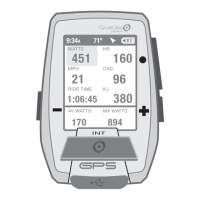
Guía del usuario de Joule GPS, página 10
CAPÍTULO 2: INTERVALOS
INTERVALOS
Intervalos
1 170w 0:37:14
380kj
10,70km
9:34A 71º
Número de intervalo
Intervalo actual en
parte superior
Tiempo de intervalo
Distancia de intervalo
2 192w 0:12:32
221kj 4,26km
Kilojulios totales
1 0:12:32
4,26km146
15,2mph
Si los datos de potencia no están disponibles,
se muestran la velocidad y la frecuencia cardíaca.
Frecuencia cardíaca media
WATIOS
451 5
ZONA POT
9:34A INT 1
Marcador de intervalo
INTERVALOS
Los intervalos son útiles para visualizar datos de sesión específicos de una sección de la misma, como, por ejemplo, una colina o cualquier otro periodo de
alta intensidad.
INT
Mantenga pulsado
3 segundos para
acceder a la vista
de intervalos.
[INTERVALO]
Mantenga
pulsado
3 segundos
para volver a
la vista
de la sesión.
VISTA DE INTERVALOS
Muestra datos del intervalo actual
INTERVALO 2
INTERVALO 1
HASTA 99 INTERVALOS
Guide de l'utilisateur du GPS Joule page10
CHAPITRE 2: INTERVALLES
INTERVALLES
Intervalles
1 170w 0:37:14
380kj 6,65mi
9:34A 71º
Numéro de l’intervalle
Intervalle en cours indiqué
en haut
Durée de l'intervalle
Distance de l'intervalle
2 192w 0:12:32
221kj 2,65mi
Puissance moy.
Kilojoules totaux
1 0:12:32
2,65mi146
15,2mph
Si les données de puissance ne sont pas disponibles,
la vitesse et la fréquence cardiaque s’affichent
Fréquence cardiaque moy.
WATTS
451 5
ZONE DE PUISSANCE
9:34A INT 1
Marqueur d’intervalle
INTERVALLES
Les intervalles sont utilisés pour consulter les données spécifiques à une section de votre tour, comme une colline ou toute autre période de haute intensité.
INT
Maintenez enfoncé
pendant 3 secondes
pour accéder à
la vue Intervalle
[INTERVAL]
Maintenez
enfoncé pendant
3 secondes pour
revenir à la Vue
Tour
VUE INTERVALLE
Affiche les données de l’intervalle en cours
INTERVALLE 2
INTERVALLE 1
JUSQU’À 99 INTERVALLES
Joule GPS Benutzerhandbuch Seite 10
KAPITEL 2: INTERVALLE
INTERVALLE
Intervalle
1 170w 0:37:14
380kj 6,65 mi
9:34A 71º
Intervall-Nr.
Aktuelles Intervall oben
Intervallzeit
Intervallstrecke
2 192w 0:12:32
221kj 2,65 mi
Durchschn.
Leistung
1 0:12:32
2,65 mi146
15,2 mph
Wenn keine Leistungsdaten verfügbar sind, werden
Geschwindigkeit und Herzfrequenz angezeigt
Durchschn. Herzfrequenz
WATT
451 5
PWR ZONE
9:34A INT 1
Intervallmarkierung
INTERVALLE
Intervalle sind nützlich, um Fahrtdaten in Bezug auf einen Abschnitt der Fahrt anzuzeigen, wie z.B. einen Berg oder andere
Zeiträume hoher Intensität.
INT
[INTERVAL]
3 Sek. gedrückt
halten, um
zurück zum
Fahrmodus
zu gelangen
Ansicht
INTERVALLANSICHT
Zeigt Daten für das aktuelle Intervall an
INTERVALL 2
INTERVALL 1
BIS ZU 99 INTERVALLE
Manuale dell’utente Joule GPS pag. 10
CAPITOLO 2: INTERVALLI
INTERVALLI
Intervalli
1 170w 0:37:14
380 kj 10,70 km
9:34A 71º
Numero intervallo
Intervallo corrente alla
sommità
Tempo intervallo
Distanza intervallo
2 192 w 0:12:32
221 kj 4,26 km
Kilojoule totali
1 0:12:32
4,26 km
146
15,2 mph
Se i dati di potenza non sono disponibili, vengono visualizzati
Speed (velocità) e HR (frequenza cardiaca)
WATT
451 5
PWR ZONE
9:34A INT 1
Marcatore intervallo
INTERVALLI
Gli intervalli sono utili per la visualizzazione di dati di corsa specifici per una sezione della corsa, ad esempio una collina o un altro periodo di corsa intensa.
INT
Premere e mantenere
premuto per 3 sec. per
accedere alla
Vista Intervallo
[INTERVALLO]
Premere e
mantenere
premuto per
3 sec. per
tornare alla
Vista Corsa
VISTA INTERVALLO
Visualizza i dati per l’intervallo corrente
INTERVALLO 2
INTERVALLO 1
FINO A 99 INTERVALLI
Gebruikershandleiding Joule GPS pagina 10
HOOFDSTUK 2: DASHBOARDS
INTERVALLEN
Intervals
1 170w 0:37:14
380kJ 6,65mi
9:34 A 71º
Nummer van het interval
Huidig interval staat bovenaan
Intervaltijd
Intervalafstand
2 192w 0:12:32
221kJ 2,65mi
Gmld. Vermogen
Totaal aantal
kilojoules
1 0:12:32
2,65mi146
15,2mph
Indien er geen vermogensgegevens ter beschikking
zijn dan worden de snelheid en de hartslag weergegeven.
Gmld. Hartslag
WATTS
451 5
POWER ZONE
9:34 A INT 1
Intervalnummer
DASHBOARD 4: INTERVALLEN
Intervallen zijn nuttig om ritgegevens van een bepaald ritonderdeel te bekijken, zoals een heuvel of andere heel intense ritmomenten.
INT
Drukken &
3 seconden aanhouden
om naar Interval-
weergave te gaan
[INTERVAL]
Drukken &
3 seconden
aanhouden
om naar
Ritweergave
terug te keren
INTERVALWEERGAVE
Geeft gegevens weer van het huidig interval
INTERVAL 2
INTERVAL 1
TOT 99 INTERVALLEN
Joule GPS User Guide page 15
CHAPTER 3: DASHBOARDS
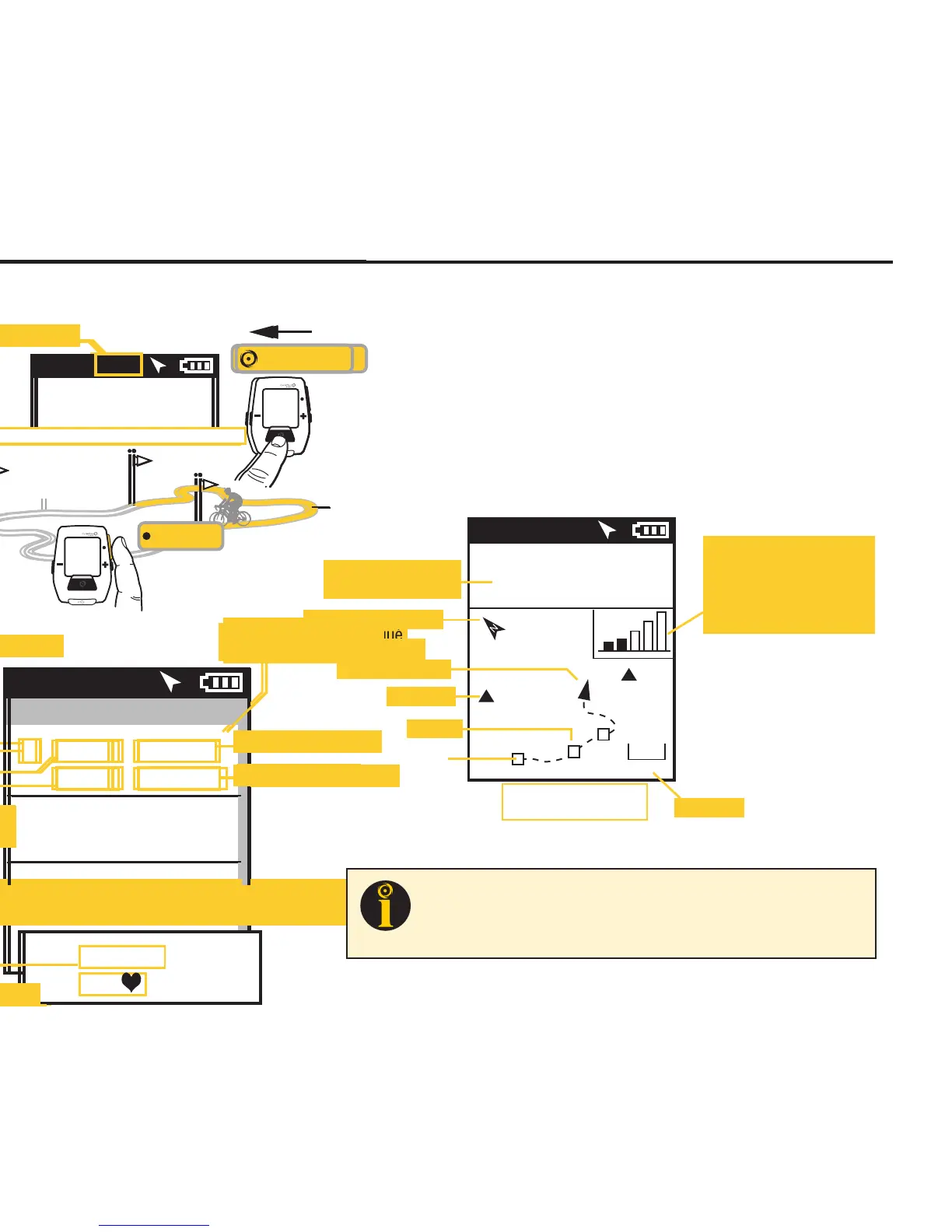
NAVIGATION or GPS MAP DASHBOARD
The Dashboard associated with Navigation is a GPS map with a current position indicator and a rendering of
the path ridden to that point in time. The screen may also display waypoints (), interval markers (), and a
pacing icon (), depending upon which navigation feature is being used. Pressing the PLUS (+) and MINUS (-)
buttons will zoom the screen in and out. Various zoom levels range from 75 meters to 80 kilometers (250 ft to
50 miles). Two configurable metric windows display at the top of the screen. When following a route which
contains turn by turn directions, the metrics are replaced with info related to the distance to the next turn.
Press • [ENTER] to
advance through
Dashboards, and
Interval, to the Map
INT
[ENTER]
GPS MAP Dashboard
9:34A 71º
WATTS
184 96
CAD
0
1
2
Ofce
Home
5 mi
Metric of the selected
Category is shown
North arrow (compass)
Waypoints
Zoom level
Position indicator
Intervals
Start
Press + [PLUS] to zoom in
Press - [MINUS] to zoom out
Satellite Reception Indicator.
Once the GPS signal is
locked on the device, this
icon is not visible. Five bars
indicate a strong signal.
TIP: The GPS signal locking process can take anywhere from less than a
minute to several minutes, depending on weather, environmental
conditions and/or when the last time the device was powered up. See
Appendix D for more information.


 To Next Page
 Loading...