Operating Instruction (For Reference:AZ2000)
1 A qualified and well-trained user is required for the use of this Device.
2 Hold a firm grip on this Device so that your body and arm can resist the
counterforce from this Device.
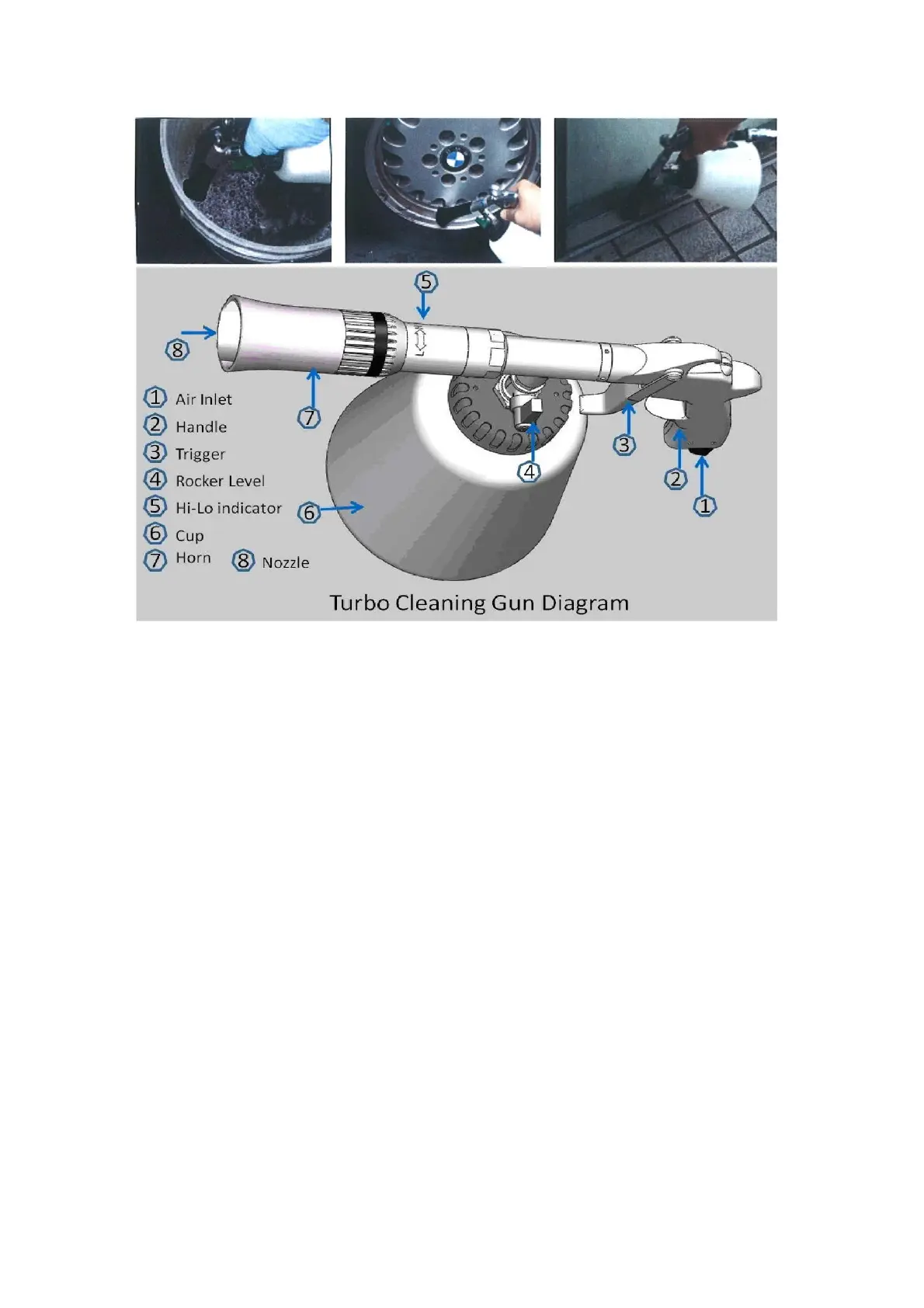
3 Make sure that the cup of this Device filled with diluted and neutral cleaner.
4 Make sure that one end of a hose connected with an air-compressed source and
the other end of the hose is plugged into the air-inlet of this Device.
5 Turn the green rocker lever into the vertical position to activate the cleaner from
the cup.
6 Never point the nozzle of this Device at any one (yourself included).
7 Point the nozzle at a dust or dirt located at the surface of an object. In the
meantime, keep the distance 1~3cm between the nozzle and the foregoing
surface where you would like to clean. Additionally the angle between of them
approx. 90°.
8 Press the "trigger" of this Device all the way; move the Device slowly with
circular motions over the surface where you are cleaning.
9 Turn the green rocker lever into the horizontal "air only" position, press the
trigger of this Device, and then dry the surface where you cleaned.
10 If it is necessary to remove any remaining moisture, then please wipe the
cleaned surface with a dry cloth
11 Rotate the horn as per the direction of Hi-Lo indicator for adjusting the rotary
speed of the nozzle.(AZ2000 Only)
12 If the horn inside has any dust or dirt, please turn the green rocker lever into the
horizontal "air only" position, put the nozzle in the clean water of a bucket and


 To Next Page
 Loading...