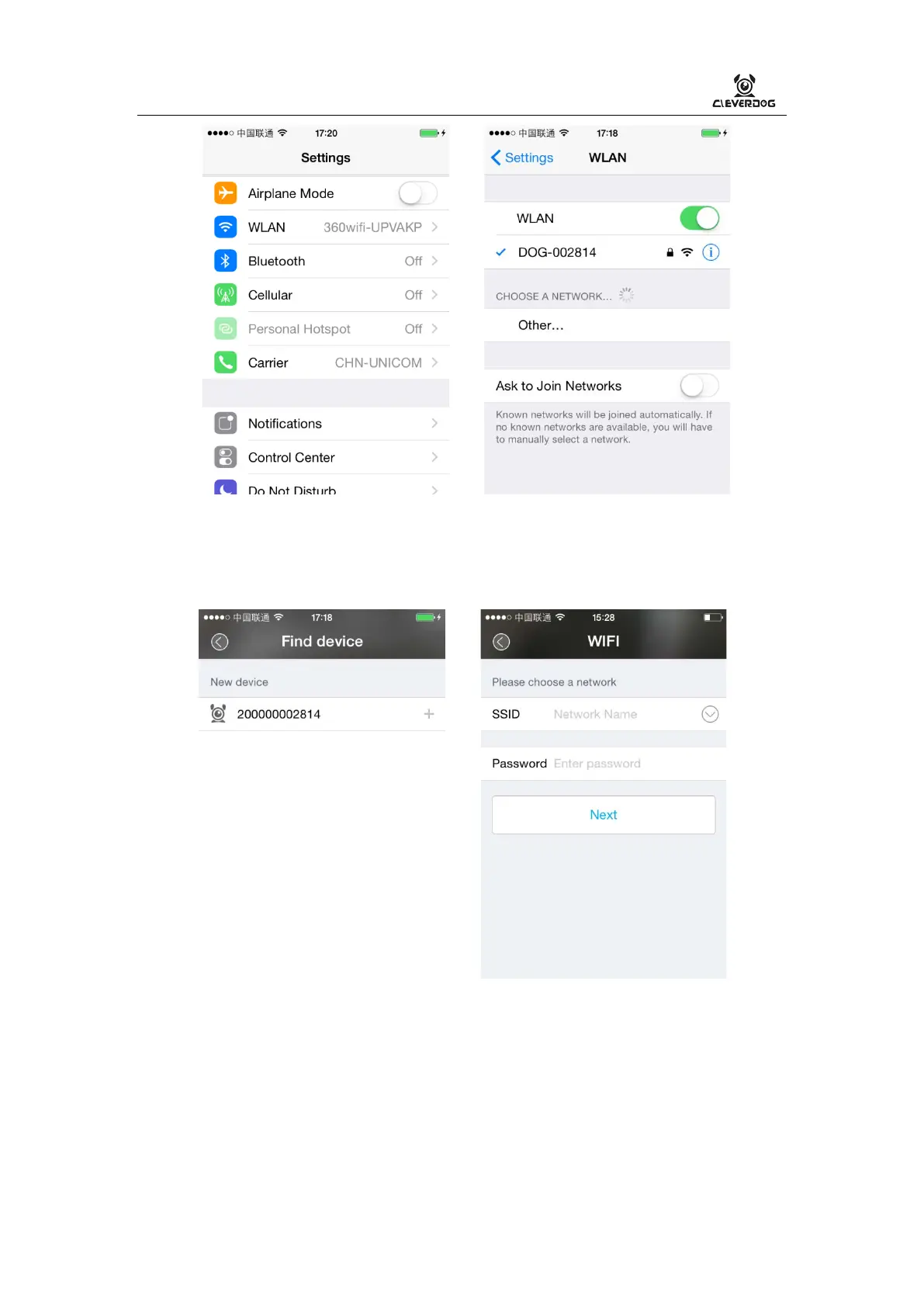
Step 2: Open Clever Dog 【Home】,click “+” to search devices.
5. Set device WiFi
1) In 【Fine device】choose the devices CID
2) In 【WIFI】connect to WiFi which you selected, and click Next
3) Connecting to network when the WIFI Indicator red blinking,it may take one
minutes, please waiting…
WIFI Indicator always being on with blue, it connected successfully.
6. Added successfully!,Begin to use!


 To Next Page