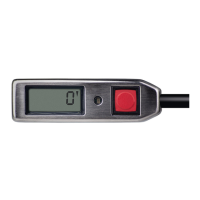
- CYPRES 2 User’s Guide - page 25
wait!
click
wait!
wait!
click click
self-test and
calibration
unit
switched on
click
light
appears
light
appears
light
appears
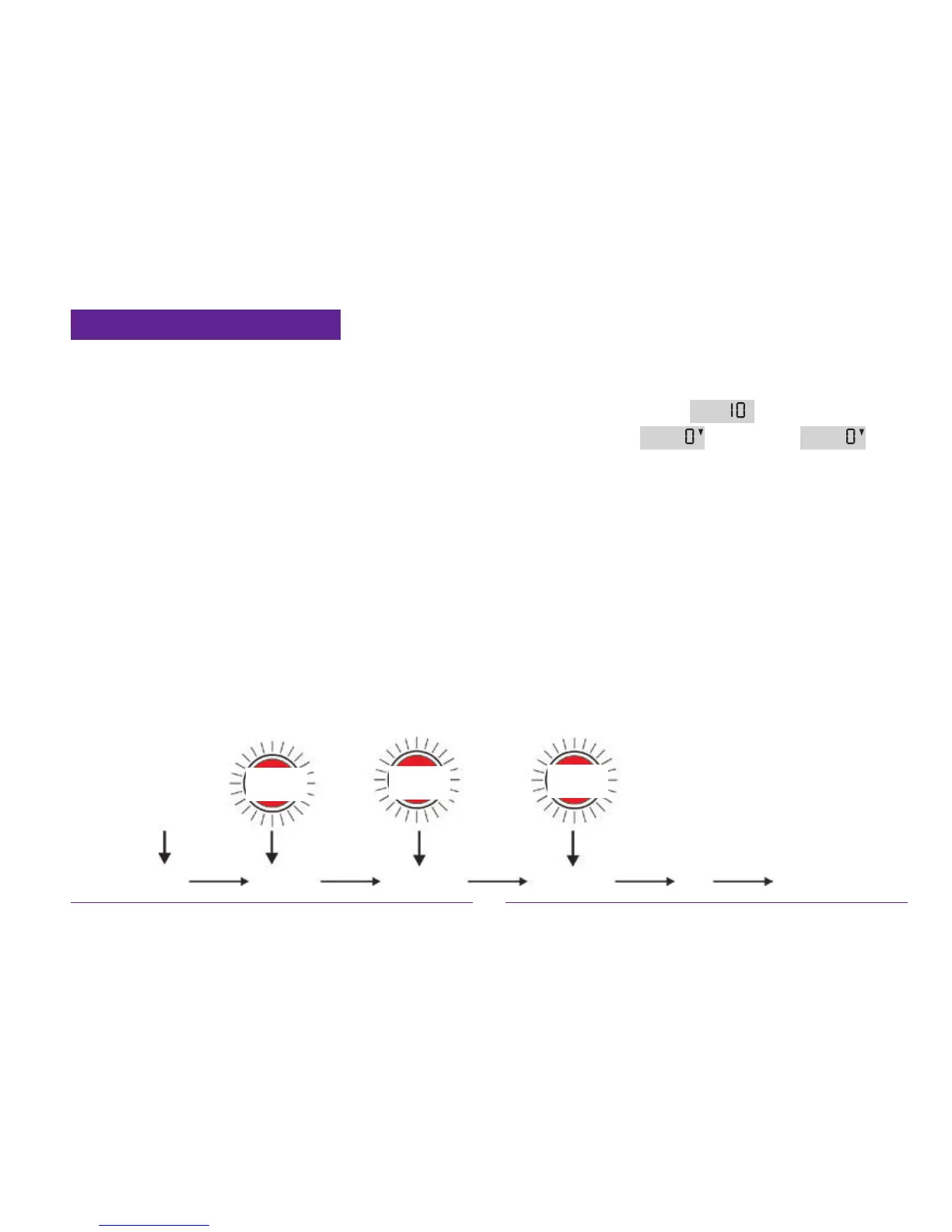
4.2 Switching CYPRES on
CYPRES is switched on by pressing the button
(pushbutton switch) four times with very short
clicks. Start the switch-on cycle by clicking the
button once. After approx. one second, the red
LED-light will glow. You must acknowledge the
red light immediately by clicking the button again.
This sequence - a click following appearance of
the red light - will be repeated two more times.
After a total of four clicks, CYPRES goes into
self-test mode.
If you do not act promptly after seeing the LED-
light, or if you push the button too soon, CYPRES
will ignore the switch-on attempt.
This four-click initiation cycle has been designed
to avoid accidental switch-on.
Once the switch-on procedure is nished, the unit
will run through its self-test. Initially, the display
will show the number
, and then a count-
down ending in
. When the with
the arrow down is shown, the unit should be func-
tional for the next 14 hours. After 14 hours have
passed, the unit will switch itself off automatically.
A manual switch-off is always possible using the
button. If the self-test is not successful, an error
code is shown for approximately 2 seconds. The
meaning of this error code can be seen in chapter 5.
The manual switch-off sequence is the same as
the switch-on procedure (click, light, click, light,
click, light, click). This routine is designed to avoid
accidental switch-off.


 To Next Page
 Loading...