- CYPRES 2 User’s Guide - page 37
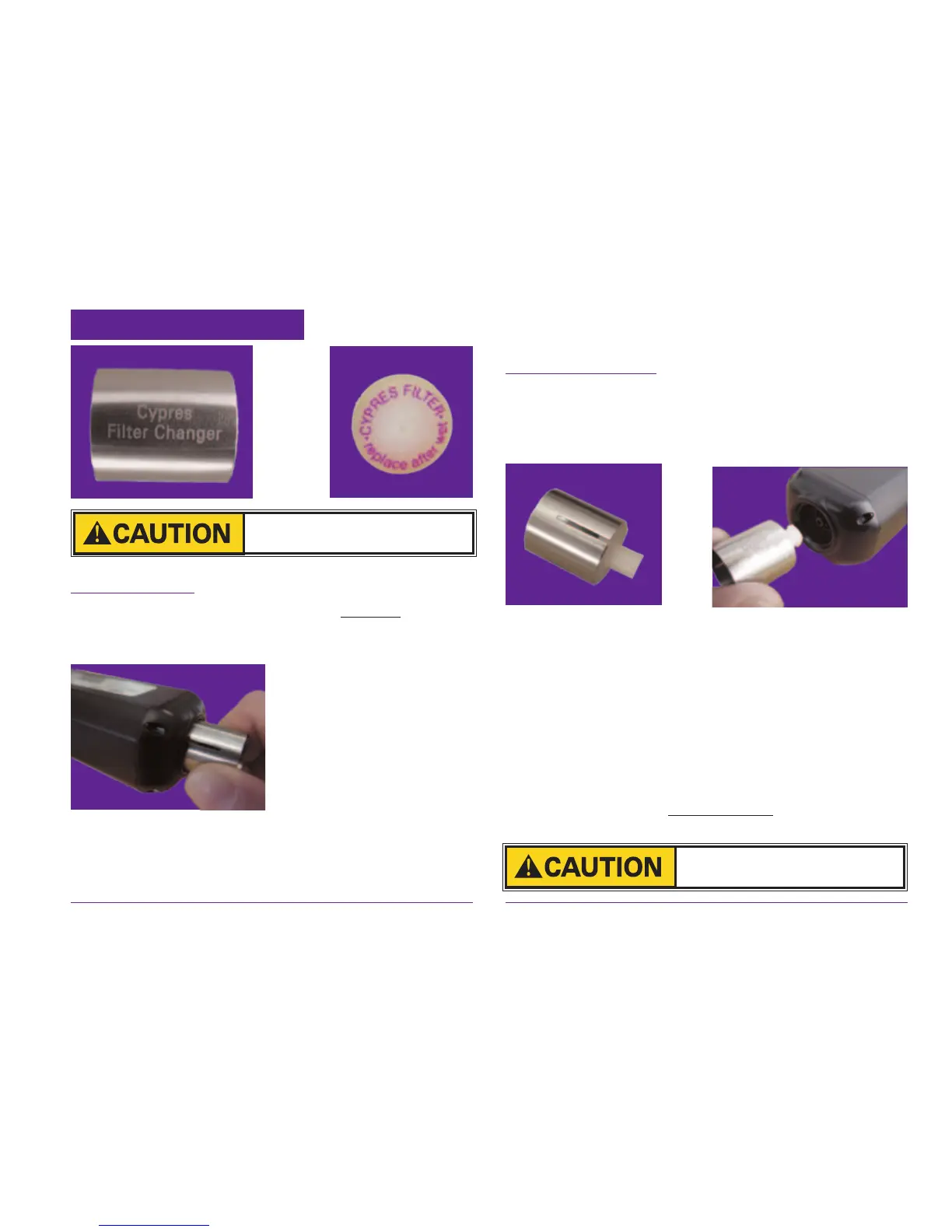
4.7 Changing the lter
Filter Removal: Hold the CYPRES lter changer
on the non-slotted end and push it straight (without
tilting) onto the lter up to the stop position.
Tightly grip the filter
changer, twist off by turn-
ing in a counterclockwise
direction and remove the
lter. If there is water in
the casing (behind the
filter), thoroughly dry
it with an absorbent soft cloth. Remove the old
lter from the lter changer by pushing with your
nger or with the eraser end of a pencil. Discard it.
Filter Installation: Place the new lter with the
labeled side toward and into the slotted end of
the lter changer up to the stop (ush) position.
Do not angle.
Hold the lter changer by the non-slotted end,
gently slide the lter tting into the unit holding
it straight without tilting. Turn the lter changer
clockwise, initially there will be little resistance.
Continue turning the lter changer until it slips on
the lter. (The lter stops turning but the changer
continues to turn.) Remove the lter changer from
the lter by pulling straight back.
Do not use other tools!
The unit must be switched off
before lter change.


 To Next Page
 Loading...