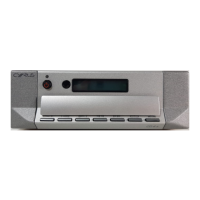
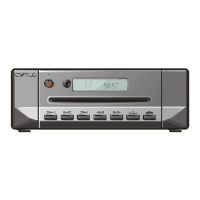
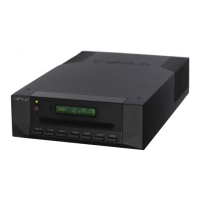
Cyrus CDi-XR User Instrucons
IMPORTANT! READ BEFORE OPERATING THIS EQUIPMENT! ...1
Laser product.............................................................................2
Power supply .............................................................................2
Servicing ....................................................................................2
Product service centre ...............................................................2
FCC NOTICE* ..............................................................................3
WELCOME TO THE WORLD OF CYRUS! .......................................4
Preparaons for Installaon ......................................................4
INSTALLATION ...............................................................................4
Key to the rear panel drawing ...................................................4
Important – read before making any connecons ....................5
Connecng to the System Amplier ..........................................5
Connecng a Digital amplier or D/A converter .......................5
Connecng with a cable ............................................................5
Connecng with opcal interconnect .......................................5
External Power Supply - PSU-XR ................................................5
How it works ..............................................................................5
MC-BUS System Connecon (Oponal).....................................5
Connecng to the AC Mains Supply ..........................................5
OPERATION ...................................................................................6
Key to the front panel drawing ..................................................6
Touch pad controls ....................................................................7
Switching On..............................................................................7
Mains power..............................................................................7
Standby......................................................................................7
Auto-standby .............................................................................7
Loading a Disc ............................................................................7
Playing a Disc .............................................................................7
Pausing .....................................................................................7
Previous/Next Track Selecon ...................................................7
Fast Forward/Reverse ................................................................7
Repeat .......................................................................................7
Stop/Eject ..................................................................................7
Program Memory Storage .........................................................8
REMOTE CONTROL OPERATION ..................................................9
Remote control introducon .....................................................9
Remote control backlight ..........................................................9
Fing baeries to the remote control ......................................9
Sending commands to Cyrus components ................................9
Switching on Cyrus source components ....................................9
Cyrus amplier commands ......................................................10
Cyrus CD player commands .....................................................11
Cyrus audio streamer commands ............................................12
Cyrus Phono Signature commands ..........................................13
Learning TV and Satellite commands ......................................14
Preparaon for learning ..........................................................14
Learning commands ................................................................14
Checking programmed commands ..........................................15
Problems with learning ...........................................................15
Sending TV or SAT commands .................................................15
SETUP MENUS .............................................................................16
Setup opons ..........................................................................16
Navigang the menu ...............................................................16
Menu map ...............................................................................17
FIRMWARE UPDATES ..................................................................18
TROUBLESHOOTING GUIDE .......................................................19
SPECIFICATIONS ..........................................................................19
Power Supply ...........................................................................19
Enclosure .................................................................................19
WARRANTY ..................................................................................20
WEEE ............................................................................................20
CONTENTS


 To Next Page