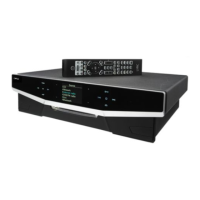
User Instructions Cyrus MR3
2
GB
GB
Welcome to the world of Cyrus!
Congratulations on your choice of Cyrus Hi-fi products. Our state-of-the-art
design technology and outstanding quality of manufacture has won countless
awards around the world. We are confident that you will derive great pleasure
from owning a product from one of the most recognised and respected
manufacturers of hi-fi equipment.
Please read these instructions carefully before commencing installation. They
provide full guidance to help you install your Cyrus MR3 safely and correctly.
Preparations for Installation
Before installing the Cyrus MR3 check that the following items are included in
the accessory box.
•
Warranty Card (with instruction manual)
•
AC Mains Cable
•
Remote Control Handset
•
2 AAA Batteries
•
4 Loudspeaker plugs
•
2 MC-Bus phono cables
After removing these items, please retain the packaging.
Install the Cyrus MR3 in a well ventilated location away from sources of high
temperature, dust or humidity. Never stand the MR3 under another unit or on
any surface likely to hamper its cooling or ventilation.
Choosing equipment to partner the MR3
All Cyrus CD players and the FM7 tuner are suitable as sources for the MR3.
All Cyrus power amplifiers are suitable for MR3 installations. In most cases
the XPA will be the preferred choice due to its ability to switch on
automatically when music is present.
The MR3 will also fully integrate with an existing Cyrus system including
Cyrus IIIi or Cyrus aCA7 amplification. For systems based around the Cyrus
III or Cyrus Pre amplifiers, certain considerations must be made when wiring
in MC-Bus control. See ‘MC-Bus connections’ section for more detail.
Installation
(Refer to Fig.3)
Key to the rear panel drawing
1. Zone 1 LS Output (R.Ch) 8. Line Output - Zone 3
2. CD Input 9. MC-BUS Connection
3. Tuner Input 10. Zone 1 LS Output (L.Ch)
4. CD Output 11. Remote Control antenna
5. TU Output 12. IEC Mains Connector
6. Line Output - Zone 1 13. AC Power Fuse
7. Line Output - Zone 2 14. AC Power Switch
Positioning the Remote Antenna
Position the antenna
1!
straight out behind the unit, or facing vertically upward
or sideways. Keep the antenna (especially the tip) as far away from metal
surfaces and cables as possible.
Do NOT wrap the antenna under the unit.
Do NOT shorten or extend the antenna cable.
When used in a HARK or other equipment rack, the Cyrus MR3 should be
placed on the top shelf to give maximum range.
Connecting inputs to the
MR3
(Refer to Fig.1)
Using a suitable phono interconnect:
1.
Connect a CD Player to the CD input
b
on the rear panel
2.
Connect a tuner to the TU input
c
on the rear panel
Connecting a CD player and Tuner through the
MR3
to an Existing
Cyrus
system
(Refer to Fig.2)
If the MR3 is to be added to an existing system, the CD and tuner outputs
must be connected from the MR3 to the main system amplifier as follows-
1.
Connect the CD input of the amplifier to the CD OUT socket
d
.
2.
Connect the Tuner input of the amplifier to the TU OUT socket
e
.
This enables a single CD player and Tuner to be shared by the MR3 and the
main system.
Connecting speakers directly to Zone 1 outputs
The MR3 includes an internal power amplifier for Zone 1. The Zone 1
speakers may therefore be connected directly to the MR3 power amplifier if
preferred as follows-
1.
Connect the cables to the speakers and run them back to the rear panel
of the MR3. Make sure that the left and right cables can be identified,
also the wires from the red (+) speaker terminals. Most speaker cables
will have a stripe or mark to show the (+) terminal.
2.
Strip 10mm of insulation from the ends of the speaker cables.
3.
Screw the cables securely into the speaker plugs. Make sure that the
red plugs are connected to the wires from the red (+) speaker terminals.
4.
Plug the cables into the Zone 1 speaker sockets
a
,
p
of the MR3.
Connecting power amplifiers (Zones 1,2,3)
External power amplifiers are necessary for Zones 2 and 3 and optional to
increase performance in Zone 1.
These power amplifiers are most easily located near to the main MR3 unit
with long speaker cable to the extension zones. If preferred, long
interconnects can be run to remote power amplifiers which are located in the
remote zone, then short speaker cables run locally to the speakers. For this
type of installation, special long input interconnects are necessary and the
installation should be made by a specialist dealer.
To connect the power amplifiers, proceed as follows-
1.
Connect a stereo phono interconnect between each Zone output
f
,
g
,
h
and a power amplifier input.
2.
Connect the cables to the speakers and run them back to the rear panel
of the power amplifier. Make sure that the left and right cables can be
identified, also the wires from the red (+) speaker terminals. Most
speaker cables will have a stripe or mark to show the (+) terminal.
3.
Connect the speaker cables to the speaker output terminals of the
power amplifier, observing polarity and channel orientation.
MC-BUS CONNECTIONS
(See Fig.6)
NOTE:- MC-Bus connections must be made to communicate remote
commands from the MR3 to the CD player and FM7.
An MC-Bus loop is established by connecting single phono cables from the
MC-Bus output of each unit to the MC-Bus input of another in a chain.
Complete the loop by returning the MC-Bus output of the final component to
the MC-Bus input of the first.
Fig.6a shows an MC-BUS system loop of MR3, Cyrus CD player, FM7 and a
Cyrus Power (where used). The Standby control of the MR3 will switch on or
off all connected Cyrus units.
Fig.6b shows the MC-Bus connections extended to include the ‘main system’
Cyrus amplifier, Cyrus IIIi or Cyrus aCA7.
Figs.6c/d show systems with Cyrus III or Cyrus Pre amplifiers. The MC-Bus
connections of these amplifiers cannot be wired into the same MC-Bus loop
as the MR3 system.


 To Next Page
 Loading...