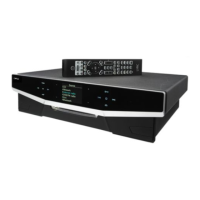
Cyrus MR3 User Instructions
3
GB
GB
Operating the
MR3
from the front panel
Key to the front panel drawing (Refer to Fig.4)
1. Mute key 6. Tuner select
2. Standby key 7. CD select
3. Standby light 8. Zone 3 select
4. Lock 9. Zone 2 select
5. Level Control 10. Zone 1 select
Power Control
(Refer to Fig.4)
The mains power switch
t
is located on the rear panel. This switch should
normally be left on. If the unit is left unattended for long periods it should be
switched off or the product disconnected from the mains power supply.
When power is applied, the STANDBY key
b
is used for power control. The
Standby light
c
shows green when the MR3 is operating and glows red when
in standby mode.
When the MR3 is switched on from Standby, all Zones are set to MUTE (zero
volume level). A red light at the extreme left of the LEVEL control
e
indicates
MUTE. (See Fig.7b)
Selecting a Zone from the front panel
Press a Zone selector key
h
-
p
.
The selected zone is now operational. A red light above the Zone key
indicates that the Zone is under front panel control.
NOTE:- If a zone selector is pressed while the MR3 is set to Standby, the unit
will switch on.
Muting and Unmuting a Zone
1.
Press the MUTE key
a
............................................ The Zone will mute.
2.
Press the MUTE key again or adjust level.............. The Zone will restore.
Selecting an Input
Press the CD key
g
to select the CD input
Press the TU key
f
to select the tuner input.
Level Control
(Refer Fig.7a)
Use the LEVEL control
e
to set the volume in the selected Zone.
The Level control of the MR3 adjusts volume and balance. A light ring around
the knob indicates the level. When the volume is at minimum the first indicator
on the light ring will be RED. As the volume increases, a GREEN light moves
clockwise around the ring.
Balance is adjusted using the remote handset. (See Page 4)
To set the maximum level in a Zone:
(see Fig.8)
The maximum level in any Zone can be set from the front panel. This is useful
where low powered speakers are in use or where high volume levels could
cause nuisance.
1.
Select a Zone and hold the Zone key down.
The level display changes to a continuous light ring. ............................ (Fig.8a)
2.
Keep holding the zone key and adjust the volume to the required level.
3.
Release the Zone key.
The display will now show a single light. This indicates the maximum
allowable volume in the selected Zone...................................................(Fig.8b)
When the volume in this Zone is adjusted the level control will function
normally until the maximum preset level is reached. When this level is
reached the light on the level control will flash .
Lock –
Cyrus CD Players and FM7 Tuner Only
When using a multi room system, the same source is often playing in more
than one Zone. To avoid possible difficulties, a Cyrus CD Player or FM7 can
be functionally ‘locked’ from the front panel of the MR3.
When the system is locked the handset will not be able to change tracks on a
Cyrus CD player or alter preset stations on the FM7. Other handset functions
are unaffected.
1.
Press the LOCK key
d
The lights above the CD and TU keys change from red to yellow.
Press LOCK to restore normal operation.


 To Next Page
 Loading...