EasyManua.ls Logo

Cyrus Pre-XR - User Manual

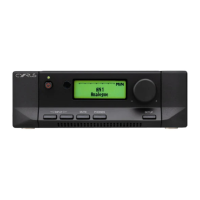
Cyrus Pre-XR
28 pages
Print Icon
To Next Page IconTo Next Page
Loading...
Cyrus Pre-XR User guide for rmware version V1.0.1
An updated user guide may be available from
www.cyrusaudio.com for newer rmware revisions

Table of Contents

Questions and Answers

  • E
    Erin BanksAug 1, 2025
    Why is there no sound coming from my Cyrus Pre-XR Amplifier?
    • C
      chad71Aug 2, 2025
      Several factors could cause a lack of sound from your Cyrus Amplifier. Here's what to check: * Ensure the amplifier (or power amplifiers) is not switched off or in standby mode. The standby indicator should be WHITE. * Make sure mute is not activated; deselect mute if it is. * Verify that the source is working correctly (e.g., CD is playing, not paused). * Confirm that the sample rate from the source is within the amplifier's specifications and that the program is encoded as two-channel stereo. * Check that the balance control is not at an extreme limit; centralize it. * Inspect your speakers for blown fuses and replace them if necessary. * Examine speaker cables and interconnects for faults; check connections and replace cables if needed.
  • P
    Peter MccarthyAug 6, 2025
    What to do if my Cyrus Pre-XR Amplifier standby is activated randomly?
    • J
      Julia SmithAug 6, 2025
      If your Cyrus Amplifier enters standby mode unexpectedly, here are a few things to consider: * The auto standby feature might be enabled. The unit will automatically switch to standby after 20 minutes of inactivity to save energy. * The touchpads may need calibration. Manually operate the Standby touchpad from the front panel to calibrate them, especially after disconnecting the unit from the mains. * The sensitivity of the touchpads might need adjustment. You can change the sensitivity settings in the setup menu.
  • M
    mary85Aug 10, 2025
    What does it mean if my Cyrus Pre-XR remote control lights flash?
    • S
      Sheila HarveyAug 10, 2025
      If the lights on your Cyrus Amplifier remote control are flashing, this indicates that the batteries are flat and need to be replaced.
  • T
    Terry RiveraAug 14, 2025
    What causes spurious noises from speakers connected to my Cyrus Amplifier?
    • B
      Brian HaynesAug 14, 2025
      Spurious noises from speakers connected to your Cyrus Amplifier are often due to faulty interconnects or connections. Check and replace these where necessary.
  • D
    Debra MitchellAug 18, 2025
    What to do if there is external PSU fault in Cyrus Amplifier?
    • T
      Tom FrenchAug 18, 2025
      To address an external PSU fault in your Cyrus Amplifier: 1. Disconnect the amplifier and PSU-XR from mains power. 2. Check the interconnect between the two units. 3. Reconnect to the mains. If the fault persists, the PSU-XR should be returned to your retailer.
  • S
    Sandra ReynoldsAug 23, 2025
    What to do if there is internal PSU fault in Cyrus Pre-XR Amplifier?
    • T
      Terry WilliamsAug 23, 2025
      If there is an internal PSU fault, the Cyrus Amplifier should be returned to your retailer.
  • T
    timothyharringtonAug 27, 2025
    What to do if mains supply voltage is outside of safe limits for my Cyrus Pre-XR?
    • K
      Kevin PhillipsAug 27, 2025
      If the mains supply voltage is outside of safe limits: 1. Disconnect the amplifier from mains power. 2. Reconnect it. If the fault persists, arrange for an electrician to check the mains supply voltage.

Summary

Important Safety Precautions

General Safety Guidelines

Comprehensive safety guidelines covering electrical hazards, environment, and product placement.

Power Supply and Servicing

Power Supply Connection

Instructions for connecting the AC power cord and checking mains supply voltage compatibility.

Servicing and Service Centres

Guidelines on when to seek professional servicing and how to contact authorized service centres.

Welcome and Installation Preparation

Welcome to Cyrus

Introduction to Cyrus hi-fi products and encouragement to register the product.

Installation Preparation

Steps to check included items and select a suitable installation location for the amplifier.

Installation and Rear Panel Overview

Rear Panel Connection Guide

Diagram and key identifying rear panel connections for audio and power.

Connection Guidelines

Pre-Connection Safety

Crucial safety advice to disconnect power before making or breaking audio connections.

Analogue and Digital Audio Inputs

Connecting analogue sources, turntables, digital sources, and USB audio.

Power Amplifier and Speaker Connections

Balanced and Unbalanced Amplifier Connections

Connecting to amplifier balanced or unbalanced inputs using XLR or phono interconnects.

Speaker Connection

Instructions for connecting speakers to the power amplifiers.

Advanced Amplifier Connectivity

Bi-amping Setup

Guide to upgrading loudspeaker systems by using additional power amplifiers for bi-amping.

Bi-wired Speaker Connections

Specific instructions for connecting speakers with bi-wire terminals for bi-amping.

Amplifier Outputs and External Audio

Fixed Output Usage

Using the fixed output for tape recording or a second amplifier.

Headphone and Surround Sound Connectivity

Connecting headphones and surround sound decoders (Cyrus and other brands).

System Integration and Power

MC-BUS System Control

Explanation of MC-BUS system for unified component control and daisy-chain connection.

External PSU-XR Power Supply

Details on connecting and using the PSU-XR for performance upgrades.

Basic Operation and Controls

Front Panel Touch Controls

Explanation of how to use the touch-sensitive controls on the front panel.

Power and Standby Management

Details on mains power connection, switching the unit on/off, and auto-standby.

Input Selection and AV Mode

How to select inputs and configure AV input types for surround sound.

Audio Playback and Settings

DSD Audio Playback

Instructions for playing DSD audio files from a computer via USB.

Volume, Balance, and Mute

Adjusting volume, headphone volume, balance, and muting the audio.

Headphone Use and Filter Settings

Connecting headphones and selecting digital filter alignments for the DAC stage.

Tape Recording and Multi-Room Audio

Tape Playback and Recording

Instructions for playing back and recording using a tape recorder via fixed output.

Second Amplifier Audio Playback

Playing selected sources through a second amplifier via fixed out for multi-room audio.

Remote Control Operation

Remote Control Introduction and Features

Overview of the iR14 remote, its backlight, and battery installation.

Controlling Cyrus Components

How to send commands to Cyrus amplifiers, CD players, and streamers.

Remote Control Commands: Amplifier

Cyrus Amplifier Control Functions

Detailed list of remote control functions for amplifier operation, including input selection and volume.

Remote Control Commands: CD Player

Cyrus CD Player Control Functions

Detailed list of remote control functions for CD player operation, including track control and playback.

Remote Control Commands: Audio Streamer

Cyrus Audio Streamer Control Functions

Detailed list of remote control functions for audio streamer operation, including navigation and playback.

Remote Control Commands: Phono Signature

Cyrus Phono Signature Control Functions

Specific remote control functions for the Phono Signature, including filter and gain settings.

Setup Menu Navigation

Setup Menu Overview

Introduction to setup menus for customising the user interface.

Navigating Setup Menus

Instructions for accessing and navigating setup menus using front panel or remote controls.

Setup Menu Options: General and Input

General Setup Options

Setup options for default input, headphone settings, balance, standby sensitivity, and DAC filter.

Input Configuration Options

Setup options for configuring individual inputs, including source type, name, volume offset, and max volume.

Setup Menu Options: Aesthetic and System

Aesthetic Display Settings

Setup options for display polarity, contrast, brightness, and LED brightness.

System Configuration Options

Setup options for language selection, factory reset, and firmware information.

Firmware Updates

Remote Control Learning Process

Remote Control Learning Preparation

Prerequisites and checks before starting the remote control learning process.

Learning and Saving Commands

Step-by-step instructions for learning and saving commands from a reference remote.

Remote Control Learning Verification and Troubleshooting

Checking Programmed Commands

How to verify that commands have been learned successfully by the remote.

Troubleshooting Remote Learning Issues

Troubleshooting tips for issues encountered during the remote control learning process.

Using Programmed TV;SAT Commands

Using the remote control to send programmed commands to TV or satellite receivers.

Troubleshooting and Error Diagnosis

Common Operational Troubleshooting

Troubleshooting steps for common issues like no sound, noise, or touchpad problems.

Error Indication and Resolution

Explanation of error messages (Mains, PSU faults) and their resolution.

Product Information

Technical Specifications

Technical specifications for power, enclosure, analogue, and digital audio performance.

Warranty and WEEE Information

Details of the two-year warranty and WEEE disposal guidelines.

Cyrus Pre-XR Specifications

General IconGeneral
Frequency Response0.1Hz - 100kHz (-3dB)
Total Harmonic Distortion0.002%
Input Impedance47kΩ
Dimensions73 x 215 x 360 mm
Weight6.9 kg
Digital inputs2 x Optical, 2 x Coaxial, 1 x USB
Dimensions (H x W x D)73 x 215 x 360 mm
Analogue outputs1 x RCA
THD+N<0.003%
Signal to Noise Ratio>100dB (A-weighted)
TypePreamplifier

Related product manuals