EasyManua.ls Logo

Cyrus Stereo 200 - User Manual

Cyrus Stereo 200
16 pages
Print Icon
To Next Page IconTo Next Page
Loading...

Questions and Answers

  • M
    michaelmossJul 27, 2025
    What to do if Cyrus Stereo 200 Amplifier has no sound?
    • C
      Christopher McdanielJul 27, 2025
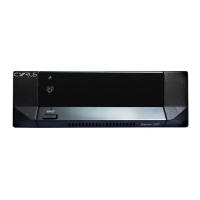
      If there is no sound from one or both speakers connected to your Cyrus Amplifier, first ensure that both the pre-amplifier and the Stereo 200 are switched on and that the correct amplifier input is selected. The standby lights should be green, and the INPUT indicator will glow green for balanced input or orange for RCA/phono. Also, check that the loudspeakers are properly connected at both the loudspeaker terminals and the Stereo 200.
  • R
    rtranAug 2, 2025
    How to fix distorted sound at low volume on Cyrus Stereo 200 Amplifier?
    • J
      James AndersonAug 2, 2025
      If you are experiencing distorted sound at very low volume on your Cyrus Amplifier, the wrong input may be selected. To correct this, press and hold the INPUT button to change the input. The input indicator will light orange for phono input or green for balanced input.
  • C
    Colleen RobertsAug 8, 2025
    What to do if Cyrus Amplifier STANDBY indicator is flashing orange/green?
    • D
      Dawn Williams MDAug 8, 2025
      If the STANDBY indicator on your Cyrus Amplifier is flashing orange/green, it means the amplifier has been overloaded or the speaker connections have a short-circuit. First, check the speaker connections to ensure they are correctly made and there's no short-circuit. Then, set the amplifier to Standby to clear the fault indication and switch it back on. If the problem continues when playing music, the speaker impedance might be too low. Make sure that only speakers are connected to the speaker outputs; switch boxes and other accessories are not suitable.
  • S
    Sherry CraneAug 13, 2025
    Why is the STANDBY indicator flashing red/green on my Cyrus Amplifier?
    • M
      Michael JonesAug 13, 2025
      If the STANDBY indicator on your Cyrus Amplifier is flashing red/green, it indicates that the amplifier has overheated. The amplifier will automatically mute and then switch to Standby mode. The error indication will disappear once the amplifier has cooled down.
  • G
    Gloria WarnerAug 20, 2025
    What to do if Cyrus Stereo 200 STANDBY indicator flashing red, green or red/orange?
    • J
      Jessica CookAug 20, 2025
      If the STANDBY indicator on your Cyrus Amplifier is flashing red, green, or red/orange, it means the amplifier has detected an error. To resolve this, switch off the amplifier, disconnect it from the mains, wait 10 seconds, and then reconnect it. Check to see if the problem has been resolved. If the fault indication persists, disconnect the amplifier and return it for service.

Summary

Important Safety Information

General Safety Precautions

Covers caution, attention, heed, read, retain, and follow instructions for safe operation.

Electrical Safety Guidelines

Addresses risks of electric shock, water, object entry, power sources, and proper connections.

Power Supply and Servicing

Servicing Requirements

Details conditions requiring service, replacement parts, and safety checks by qualified personnel.

Installation and Connections

Connecting Components

AC Mains Supply Connection

Instructions for connecting the power cable, including ferrite clamp usage.

Pre-Amplifier, Streamer, or DAC Connection

Guidance on connecting source components using phono or balanced XLR cables.

Remote Power Control Options

12 V Trigger System Connection

Guidance on connecting to 12V trigger systems for remote power switching.

Troubleshooting Guide

No Sound or Low Volume Issues

Checks for power, correct input selection, and speaker connections.

Standby Indicator Fault Codes

Interprets flashing standby indicator for overheating, overload, or general errors.

Specifications and Warranty

Product Specifications

Details on power supply, consumption, dimensions, weight, and audio performance.

Cyrus Stereo 200 Specifications

General IconGeneral
Power Output200W (into 6 Ohms)
Frequency Response0.1Hz - 100kHz (-3dB)
Total Harmonic Distortion<0.003%, 1kHz, 100W into 6 Ohms
Input Impedance13kΩ
Dimensions73 x 215 x 360 mm
Weight6.7kg
TypeStereo Power Amplifier

Related product manuals