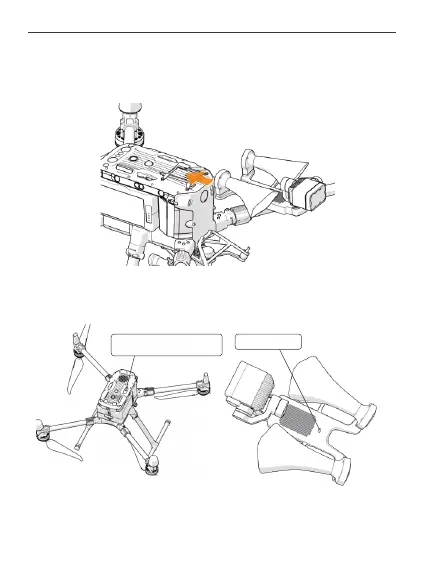
Status indicator
2.
① Installation load: Slide the LP35 Searchlight and Broadcasting System along the
quick release bracket slide rail to the end of the slide rail, and shake the bottom of the
LP35 to ensure installation is in place.
② Connect the load OSDK line to the OSDK interface of the drone and wait for the
indicator light to turn green and slowly flash, which indicates a successful connection.
Plug the paylosd’s electrical
connector into this port
23



 To Next Page