3. The searchlight control panel controls the lighting of the searchlight, and is capable of
performing operations including flashing, AI spot centering, gimbal locking, gimbal
fine-tuning, light brightness adjustment and so on.
1) Flashing: The light flashes at a faster speed.
2) AI spot centering: When the light spot is not in the center of the remote control screen
image, according to algorithm calculation, the angle of the gimbal will be automatically
adjusted to move the spot to the center of the screen.
3) Gimbal locking: When the gimbal locking button is pressed, the gimbal will be no longer
rotates with the camera’s gimbal.
4) Gimbal adjustment: it can be used to adjust the pitch and yaw angles of the gimbal
slightly.
5) Gimbal resuming to center: Click to rotate the gimbal back to the neutral position.
6) Reset gimbal parameters: Click Confirm to clear the gimbal parameter reset and
perform calibration. Before calibration, please level the load and wait patiently.
25
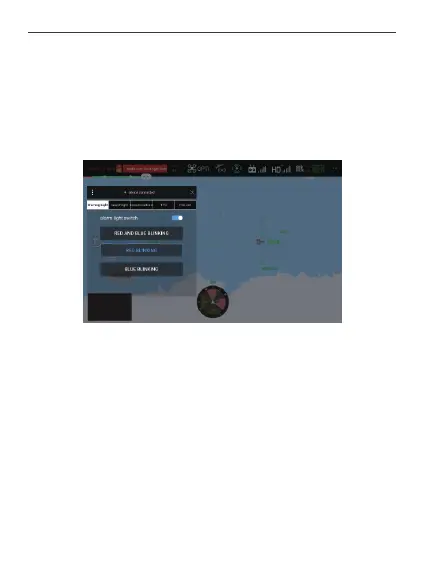
2. Click to enter the device, enter the camera screen, click the LP35 control panel button,
and the following interface will pop up. The alarm light control panel controls the
flashing of red and blue lights for warning, and three modes can be selected from:
red and blue blinking, red blinking, and blue blinking.
1) Red and blue blinking: The red and blue lights have sharp flash in the order of they
lighting up in turn.
2) Red Blinking: Only the red light flashes rapidly.
3) Blue Blinking: Only the blue light flashes rapidly.



 To Next Page