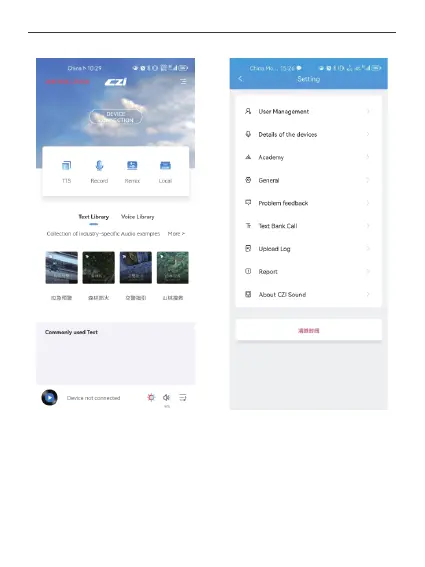
③Upgrade Firmware: Click Device Details inside Settings to jump to the device details
interface, you can choose online upgrade or offline upgrade. Click update check to get the
latest firmware (requires internet connection), if the current device firmware version is
smaller than the latest firmware version, then you can upgrade online. If the current device
firmware version is less than the latest firmware version, then you can upgrade online.
Offline upgrade is to select the local bin file (can be downloaded and saved to the mobile
phone locally through the official website) to upgrade.
②The uploaded audio needs to be played in czi pilot.
31



 To Next Page