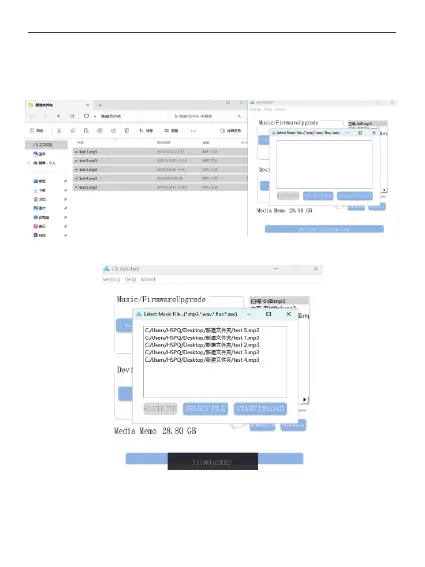
Click the Music Transfer button to bring up the pending window, copy and paste the audio
files to be uploaded into the target window for uploading. Only the following four formats
of mp3, flac, wav and aac are supported, and the format is saved as mp3 after uploading.
Click Start Upload to start the audio batch upload, and wait for the upload to complete.
37



 To Next Page