
 Need help?
Do you have a question about the Czur Fancy Series and is the answer not in the manual?
Introduces the CZUR Fancy Document Camera, its high frame rate, high definition, 8MP/12MP sensor, and 60fps capabilities.
Presents detailed physical dimensions and measurements for the CZUR Fancy Document Camera in millimeters.
Details the numbered components of the CZUR Fancy Document Camera and optional accessories like soft pads.
Lists the contents of the CZUR Fancy Document Camera package, including the camera, guide, adapter, and warranty card.
Instructions for downloading and installing the CZUR Visualizer software on supported operating systems.
Steps for preparing the CZUR Fancy Document Camera for operation, including software setup and connection.
Troubleshooting steps for when the power indicator on the CZUR Fancy Document Camera does not light up.
Solutions for issues encountered during CZUR Visualizer software installation or when errors occur.
Guides users on how to resolve problems when the device is unable to capture photos correctly.
Provides solutions for blurry images captured by the CZUR Fancy Document Camera, focusing on lens and light.
Details the product's warranty coverage, after-sales policies, and guidelines for sending the product for repair.
Provides contact channels for technical support and general information regarding the CZUR Fancy Document Camera.
The CZUR Fancy Document Camera is a versatile device designed for high-frame-rate and high-definition streaming, making it suitable for various applications in classrooms and offices. This document camera excels at capturing, displaying, and recording papers, books, and 3D objects with exceptional clarity. Its design prioritizes reliable connectivity and ease of use, ensuring a smooth experience for users.
The primary function of the CZUR Fancy Document Camera is to digitize physical documents and objects, presenting them in real-time on a connected computer. This capability is invaluable for presentations, online teaching, remote collaboration, and archiving. The device can capture both flat documents and three-dimensional items, offering flexibility for diverse content. Its high frame rate ensures that live streams are fluid and natural, minimizing lag and providing a dynamic viewing experience. The high-definition sensor captures intricate details, making text legible and images crisp.
The camera features a control panel with several buttons that allow users to adjust various settings directly on the device. These controls include:
The device is complemented by the CZUR Visualizer software, which is essential for its operation. This software allows users to manage captures, adjust settings, and utilize the full range of the camera's capabilities.
The CZUR Fancy Document Camera is designed for straightforward setup and operation. Users are instructed to download the CZUR Visualizer software from the official website, ensuring compatibility with various Windows and macOS versions. The installation process is guided by on-screen prompts.
Once the software is installed, the device operates on a plug-and-play principle. Users simply place the camera on a flat surface, connect it to their PC via the USB cable, and open the CZUR Visualizer software. The software is designed to automatically detect the device, making it ready for immediate use.
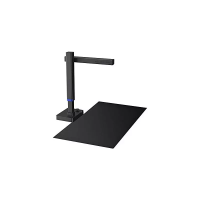
An optional double-sided soft pad is available to enhance the user experience. One side of the pad is black, optimized for high-speed scanning, which helps in achieving better contrast and faster processing for documents. The other side is brown, intended for visual presentations, providing a neutral background that can make displayed objects stand out more effectively. This thoughtful addition caters to different usage scenarios, allowing users to choose the most suitable background for their task.
The camera's adjustable arm and head allow for flexible positioning, enabling users to capture objects of various sizes and from different angles. This adaptability is crucial for capturing 3D objects or large documents that might not fit under a fixed camera. The integrated fill light further enhances usability by ensuring consistent lighting conditions, regardless of the ambient environment.
Maintaining the CZUR Fancy Document Camera involves simple steps to ensure its longevity and optimal performance. The manual provides troubleshooting tips for common issues, which also serve as maintenance guidelines.
The manual also outlines warranty information, emphasizing adherence to national laws and regulations. A one-year warranty is provided for the device, excluding consumables and external view. For repairs, users are advised to fill out the Warranty Card and properly pack the device to ensure safe transportation and quality maintenance. The document also lists exceptions to the warranty, such as damages caused by incorrect installation, use in unsuitable environments (e.g., too hot or humid), use of non-CZUR components, natural disasters, inappropriate storage, unauthorized repairs, or software-related issues like computer viruses.
Overall, the CZUR Fancy Document Camera is designed to be a reliable and user-friendly tool for digitizing and presenting information, with clear guidelines for both operation and basic maintenance.
 General
| Compatibility | Windows, macOS |
|---|---|
| OCR | Yes |
| Auto Cropping | Yes |
| Auto Straightening | Yes |
| Auto Dewarping | Yes |
| Color Enhancement | Yes |
| Video Recording | Yes |
| Live Streaming | Yes |
| Max. Scan Size | A3 |
| Image Format | JPG, PDF, TIFF |
| Interface | USB |
| Light Source | LED |

 To Next Page