
 Need help?
Do you have a question about the Czur Fancy S Pro and is the answer not in the manual?
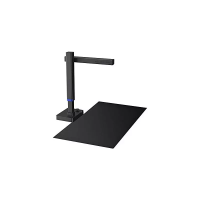
Overview of the CZUR Fancy Document Camera, highlighting its high frame rate, clarity, and sensor capabilities for various environments.
Detailed physical dimensions of the CZUR Fancy Document Camera, presented in millimeters with visual diagrams.
Identification and explanation of the numbered components, features, and basic parameters of the CZUR Fancy Document Camera.
Lists the standard items included in the CZUR Fancy Document Camera package and mentions optional accessories.
Instructions for downloading and installing the CZUR Visualizer software on compatible operating systems.
Steps for setting up and connecting the CZUR Fancy Document Camera for initial use.
Troubleshooting steps for when the power indicator light on the device does not illuminate.
Solutions for common issues encountered during CZUR software installation or when errors occur.
Guidance on resolving problems that prevent the device from capturing photos correctly.
Tips for troubleshooting and fixing blurred images captured by the CZUR Fancy Document Camera.
Details on warranty coverage, return policies, and repair procedures for the product.
Provides contact details for technical support and general inquiries regarding CZUR products.
 General
| Brand | Czur |
|---|---|
| Model | Fancy S Pro |
| Category | Document Camera |
| Language | English |

 To Next Page