Chapter II Operation Guides
2.1 Software Installation
The supported systems are XP/Win7/Win8/Win10/Win11/32-bit/64-bit
system, and For macOS 10 .13 an d later versions.
Visit www.czur.com, go to the Download Software section, select your
device model, download and install the software. For software installation
steps, refer to the installation p rompts.
2.2 Preparation before Use
1. Download and install [CZUR Visualizer] from https://www.czur.com;
Click “Download Software” at right top corner of CZUR’s website
page an d fin d [CZUR V isualizer]to download;
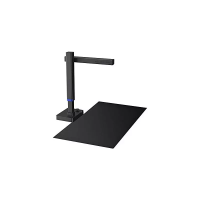
2. Plug an d play: Simply place Fancy on a flat surface, connect it to your
PC with the USB cable, and open [CZUR Visualizer] software, which can
detect your device automatically.Then You are good to start.
Chapter III FAQs and Troubleshooting
3.1 The power indicator does not work. What can I
do?
Check whether the USB cable is properly connected to the computer, and
whether the computer's USB p ort works well.
You are always welcomed to CONTACT U S AT: s upport@czur.com


 To Next Page