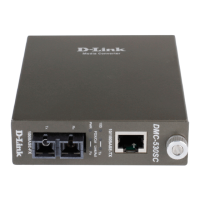
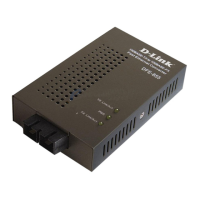
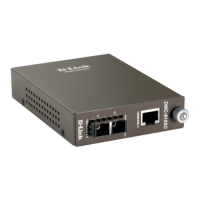
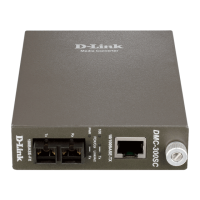
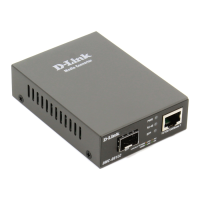
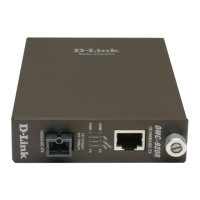
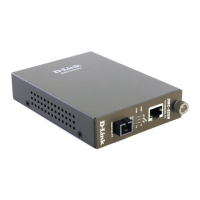
The D-Link 10/100BASE-TX to 100BASE-FX Media Converter is a network device designed to bridge different Ethernet media types. It facilitates the conversion of signals between 10/100BASE-TX (copper) and 100BASE-FX (fiber optic) networks, allowing for extended network reach and integration of different cabling infrastructures. This device adheres to IEEE 802.3 10BASE-T, IEEE802.3u 100BASE-TX, and 100BASE-FX standards, ensuring compatibility and reliable performance within Fast Ethernet environments.
Function Description:
The primary function of this media converter is to provide a single channel for media conversion. It takes an Ethernet signal from a 10/100BASE-TX copper cable and converts it into an optical signal suitable for a 100BASE-FX fiber optic cable, and vice-versa. This conversion is crucial for connecting segments of a network that use different physical media, such as extending an Ethernet network over longer distances using fiber optics, or integrating fiber optic backbones with existing copper-based local area networks.
Important Technical Specifications:
- Applicable Standards: IEEE 802.3 10BASE-T, IEEE802.3u 100BASE-TX & 100BASE-FX.
- Fixed Ports: The converter features one 10/100BASE-TX port and one 100BASE-FX port.
- Speed: It supports 10/20Mbps for half/full-duplex operation on the TX port and 100/200Mbps for half/full-duplex operation on the FX port.
- Forwarding Rate: The device boasts a forwarding rate of 148,800 packets per second (pps), indicating its capability to handle wire-speed traffic without significant latency.
- Cable Types Supported:
- 10BASE-T: Requires 2-pair UTP Cat. 3, 4, or 5 cable, with a maximum distance of 100 meters (328 ft).
- 100BASE-TX: Requires 2-pair UTP Cat. 5 cable, with a maximum distance of 100 meters (328 ft).
- 100BASE-FX:
- Supports 62.5/125µm multi-mode fiber optic cable, allowing for distances up to 2 km.
- Supports 10/125µm single-mode fiber optic cable, allowing for significantly longer distances, up to 75 km.
- Dimensions: The physical dimensions of the converter are L120 × W88 × H25 mm.
- Weight: The device weighs 305 grams.
- Power: It operates with an external power adaptor providing 7.5V DC at 1.5A.
- Power Consumption: The maximum power consumption is 7.2W.
- Temperature Range:
- Operating: 0°C to 40°C (32°F to 104°F).
- Storage: -25°C to 70°C (-13°F to 158°F).
- Humidity: Operates within a relative humidity range of 10% to 90%, non-condensing.
- Emissions: Complies with FCC part 15 Class B, CISPR Class B, VCCI Class B, and CE Mark standards, indicating its electromagnetic compatibility.
Usage Features:
- Auto Negotiation: The TX port supports auto-negotiation of speed (10Mbps or 100Mbps) and duplex mode (half or full), simplifying setup and ensuring optimal performance with connected devices.
- Auto MDI-X: The TX port also features Auto MDI-X, which automatically detects and corrects for straight-through or crossover Ethernet cables, eliminating the need for specific cable types.
- Duplex Mode Configuration: A sliding switch is provided for configuring the duplex mode of the fiber port. This allows users to manually set the fiber link to either half-duplex or full-duplex, with full-duplex being the default setting.
- Store-and-Forward Mechanism: The converter utilizes a store-and-forward switching mechanism, which reads the entire frame, checks for errors, and then forwards it. This ensures data integrity and reduces the propagation of corrupted frames.
- Flow Control: It supports back-pressure for half-duplex connections and IEEE 802.3x compliant flow control for full-duplex connections, preventing packet loss during periods of network congestion.
- Front Panel Status LEDs: The device includes several LED indicators on the front panel to provide instant feedback on its operational status:
- PWR (Power): Steady when power is on, off when power is off.
- 100 Mbps (100): Steady when running at 100Mbps on the TX port, off when running at 10Mbps on the TX port.
- FDX/COL (Full Duplex/Collision):
- Steady when the TX or FX port is in full-duplex mode.
- Lights off when the TX or FX port is in half-duplex mode.
- Blinking indicates a data collision (relevant for half-duplex operation).
- LINK/ACT (Link/Activity):
- Steady when a valid network connection is established on the TX or FX port.
- Lights off when not linking.
- Blinking indicates data transmission or reception activity on the TX or FX port.
- Standalone or Chassis Mountable: The converter can be used as a standalone device, powered by its external adapter, or it can be installed into a special designed chassis, offering flexibility in deployment.
- Hot-Swappable: When used with a chassis, the converter modules are hot-swappable, allowing for replacement or maintenance without powering down the entire chassis, thus minimizing network downtime.
Maintenance Features:
- Plug-and-Play: The converter is a plug-and-play device, meaning it requires minimal configuration for basic operation, simplifying installation and maintenance.
- Chassis Installation: For installations requiring multiple converters, the device can be easily installed into a compatible chassis. The installation process involves unscrewing and pulling out the media converter board from its carrier, plugging the media board into a vacant slot in the chassis, and then fitting the converter onto the carrier and securing it with a screw. This modular design facilitates organized deployment and easier maintenance of multiple units.
- Environmental Considerations: The manual emphasizes selecting a site free from extreme temperatures, humidity, or electromagnetic interference. Adequate ventilation is crucial, and users are advised not to block ventilation holes. These guidelines contribute to the long-term reliability and stability of the device, reducing the need for frequent maintenance due to environmental factors.
- Recyclable: The product is marked as recyclable, indicating an environmentally conscious design and facilitating proper disposal at the end of its lifecycle.

 Need help?
 General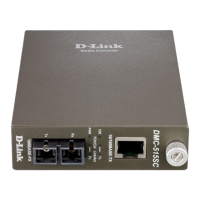

 To Next Page