12D-Link DCH-S160 User Manual
Section 3 - Usage
My Actions
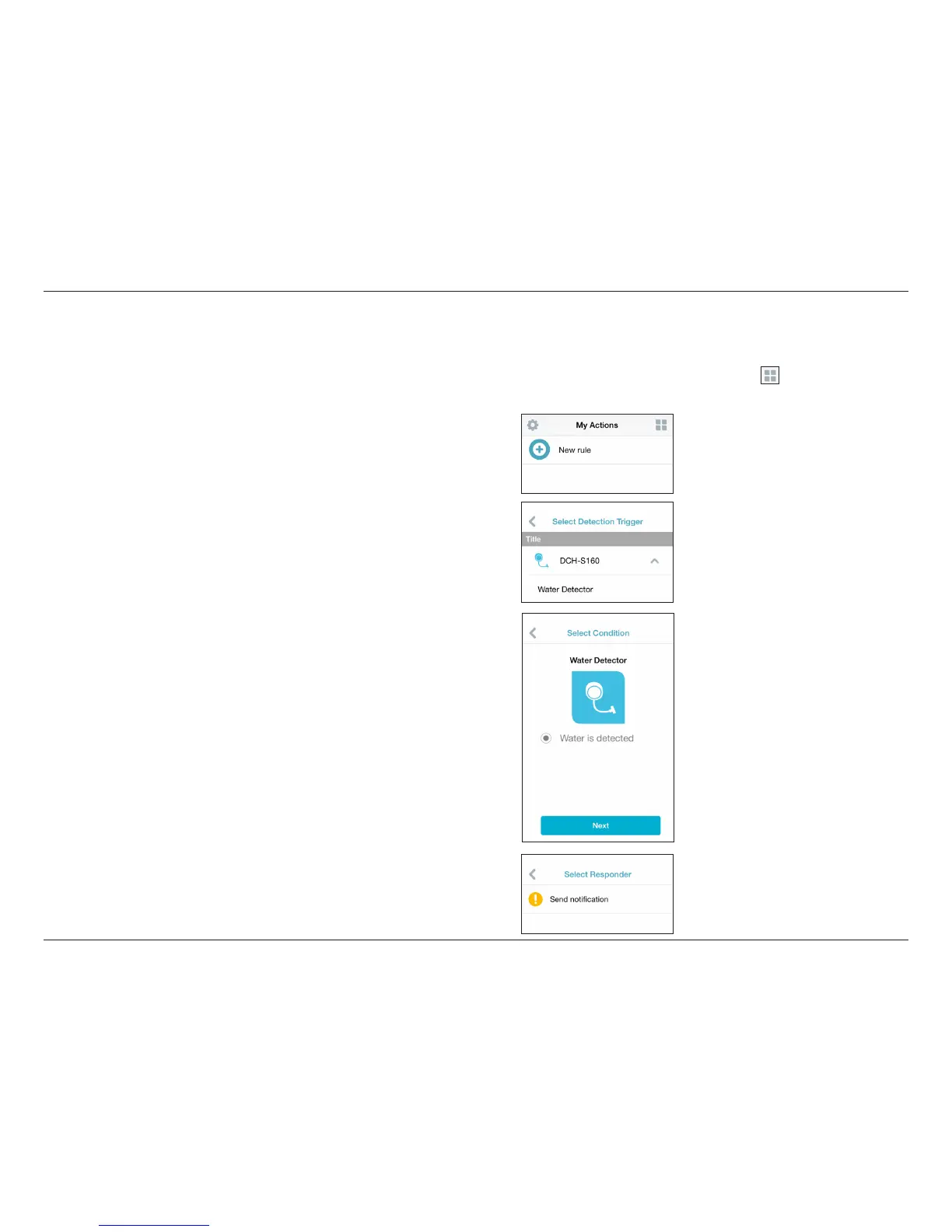
This page lets you add and enable/disable rules which execute actions such as notications (response) when your DCH-S160
detects water (condition) and will trigger your Wi-Fi Siren if you have one connected to your network. Tap to switch between
pages.
1. To add a new rule for your device, tap on New rule.
2. Tap on the device you want to use to act as a trigger for the rule.
3. Select from the available conditions for this device and tap Next.
4. Select from the available responses for this device.


 To Next Page