10D-Link DCS-700L User Manual
Section 1: Product Overview
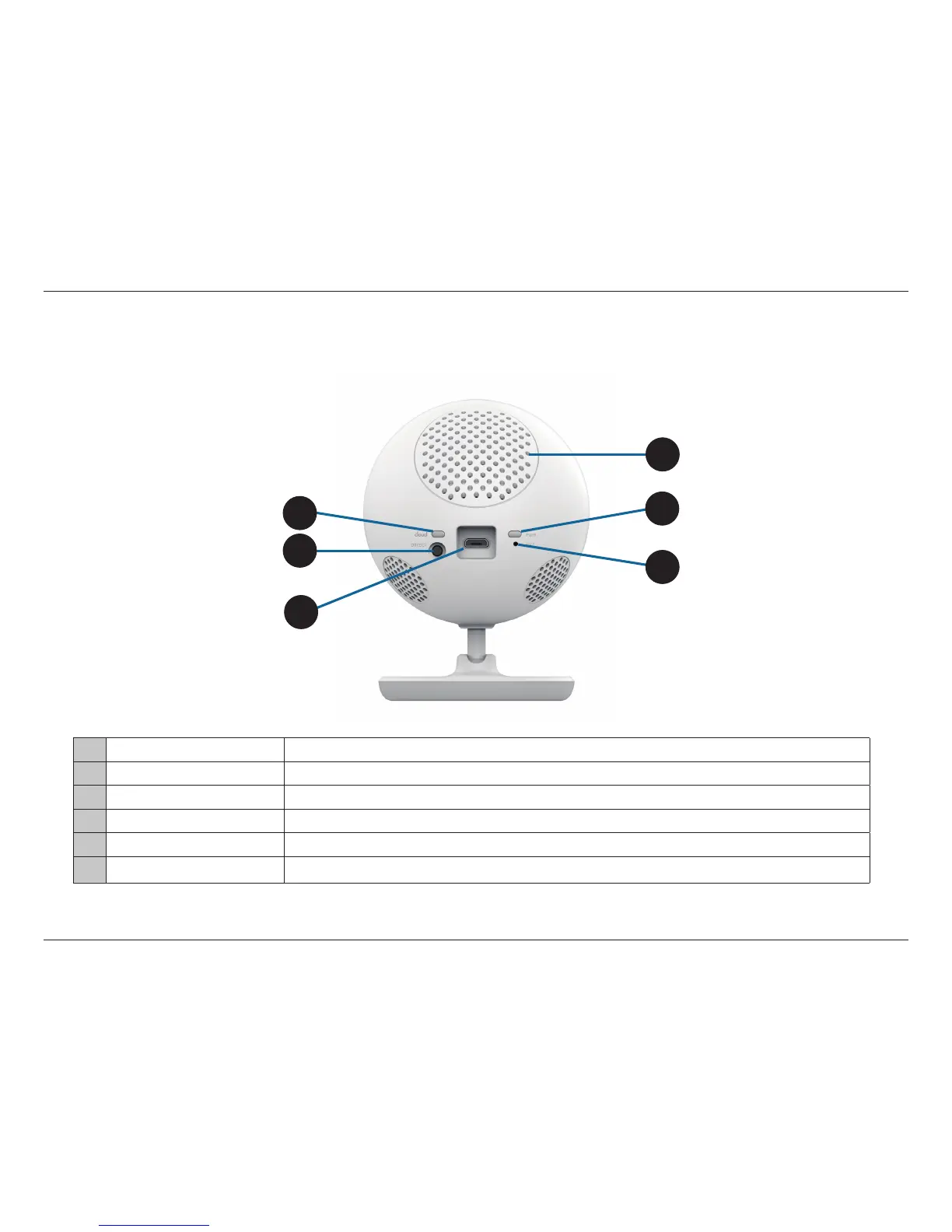
Rear View
1 Cloud/Direct Mode LED A solid blue light indicates a connection to the mydlink server. A blinking blue light means Direct Connect is enabled.
2 Direct Connect Button Press the button to allow direct connection from your mobile device to your DCS-700L wirelessly.
3 Micro USB Power Port Micro USB connector for the supplied power adapter or USB battery pack*.
4 Speaker Allows you to talk to your baby and to play lullabies.
5 Power LED A solid red light indicates the camera is powered on or has been reset to the factory default settings.
6 Reset Button Press and hold the recessed button with a paper clip for 10 seconds to reset the camera to factory default settings.
5
*Note: USB battery not included. Only the 5V /2A battery pack is supported.
1
2
4
3
6


 To Next Page