20D-Link DCS-700L User Manual
Section 3: Monitoring
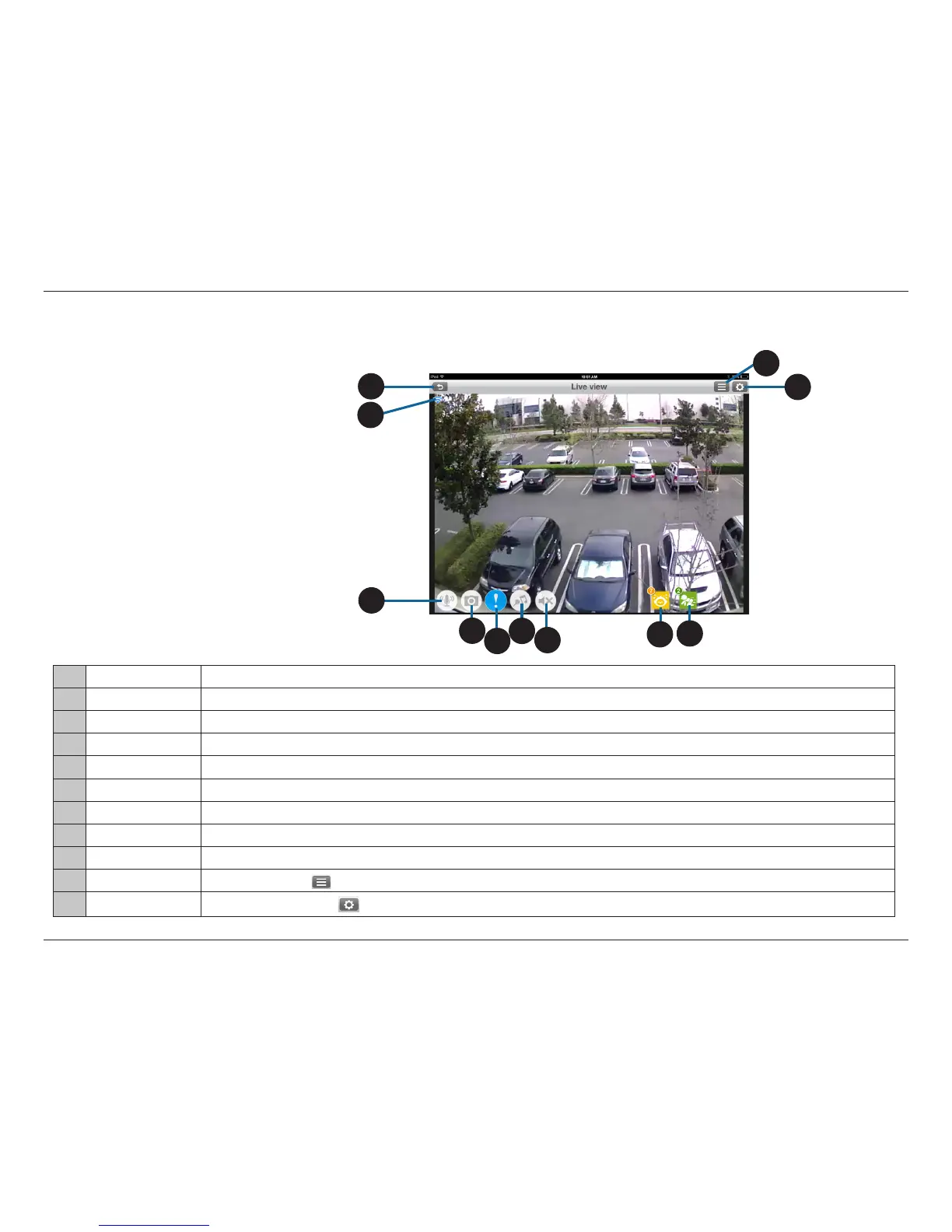
mydlink Baby App Live View
At any time, tap on the Live View screen to return to
the Home screen, and to access both the Settings and
Conguration menus.
1 Return Tap on the Return icon to return to the Home screen.
2 Wi-Fi Status Indicates the type of connection to the Wi-Fi Baby Monitor. (Blue = local, pink = mydlink remote, green = direct connect, and grey = disconnected.)
3 Microphone Tap on the Microphone icon to enable or disable two-way audio.
4 Camera Tap on the Camera icon to access snapshot and video recording mode.
5 Alerts Tap on the Alerts icon ( ! ) to enable or disable alert notication.
6 Music Tap on the Music icon to select from the ve available lullabies to play on your camera's speaker. Also is used to enable or disable the music.
7 Speaker Tap on the Speaker icon to enable or disable Live View audio. Volume can be controlled by using the volume buttons on the mobile device.
8 Sound Alert Indicates when a loud sound is detected, like the sound of a baby crying.
9 Motion Alert Indicates when motion is detected, like when the baby is moving.
10 Settings Tap the Settings Icon ( ) to access settings, such as the camera's video resolution, brightness or speaker volume.
11 Conguration
Tap the Conguration icon ( ) to access the conguration menu.
1
11
10
4
5
6
7
8
9
3
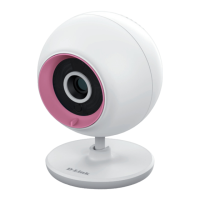
Note: The rst time you access your DCS-700L Live View,
you will get a reminder to adjust the focus on the camera.
This will ensure you get the best possible image. You only
need to do this once, and then you can turn o the reminder.
2


 To Next Page