8D-Link DCS-8330LH User Manual
Section 2 - Installation
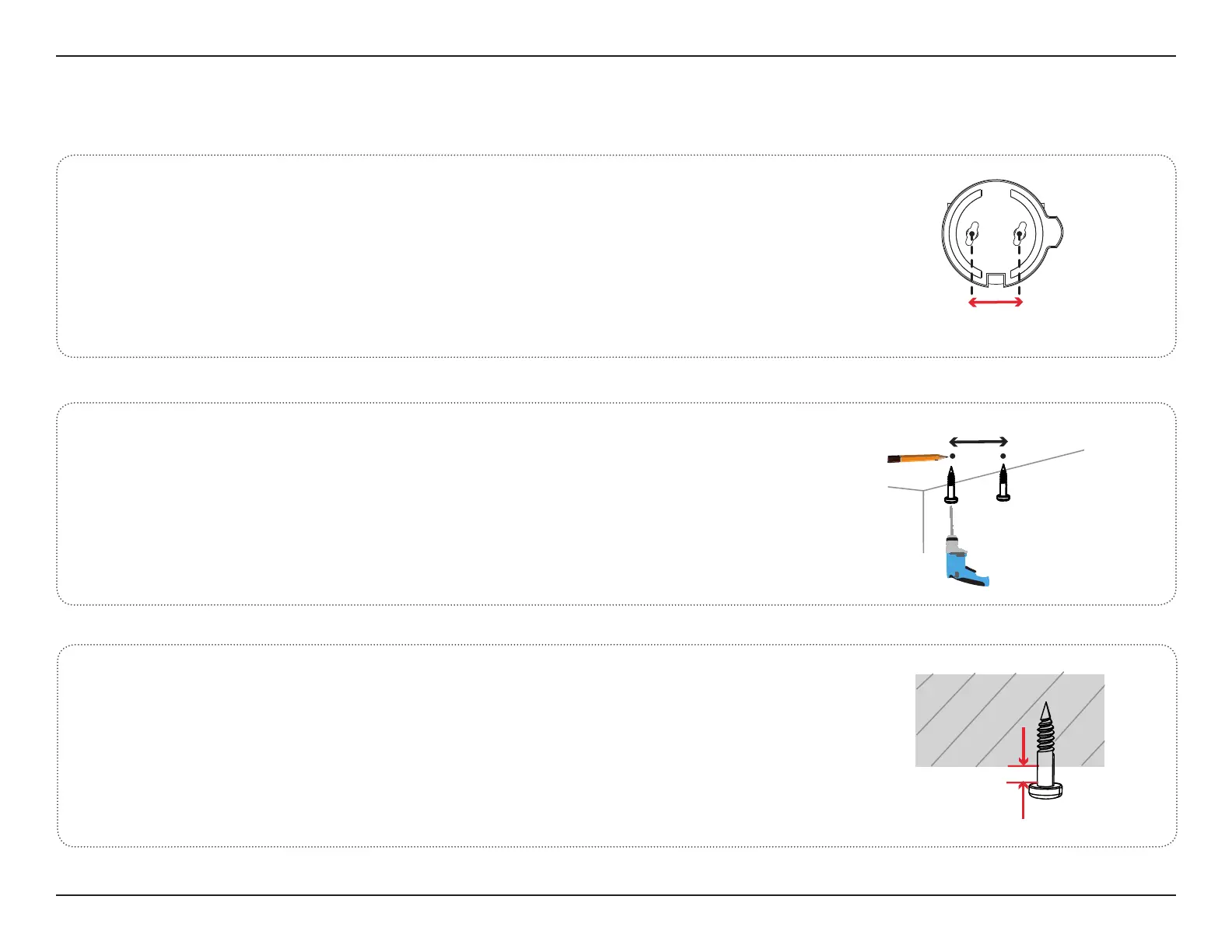
Locate the two mounting holes on the bottom, noting that they are
33 mm apart.
Mounting the Camera
1
/
Use a pencil to make two marks 33 mm apart. Use a 6 mm drill bit
to drill two 3 mm deep holes over the pencil marks. Hammer in the
plastic wall anchors to support the screws.
2/
Twist the screws into the anchors, leaving the tops of the screws
exposed from the surface. Do not over tighten the screws.
3/
33 mm
2.6~3.0mm


 To Next Page