4D-Link DCS-8350LH User Manual
Section 1 - Product Overview
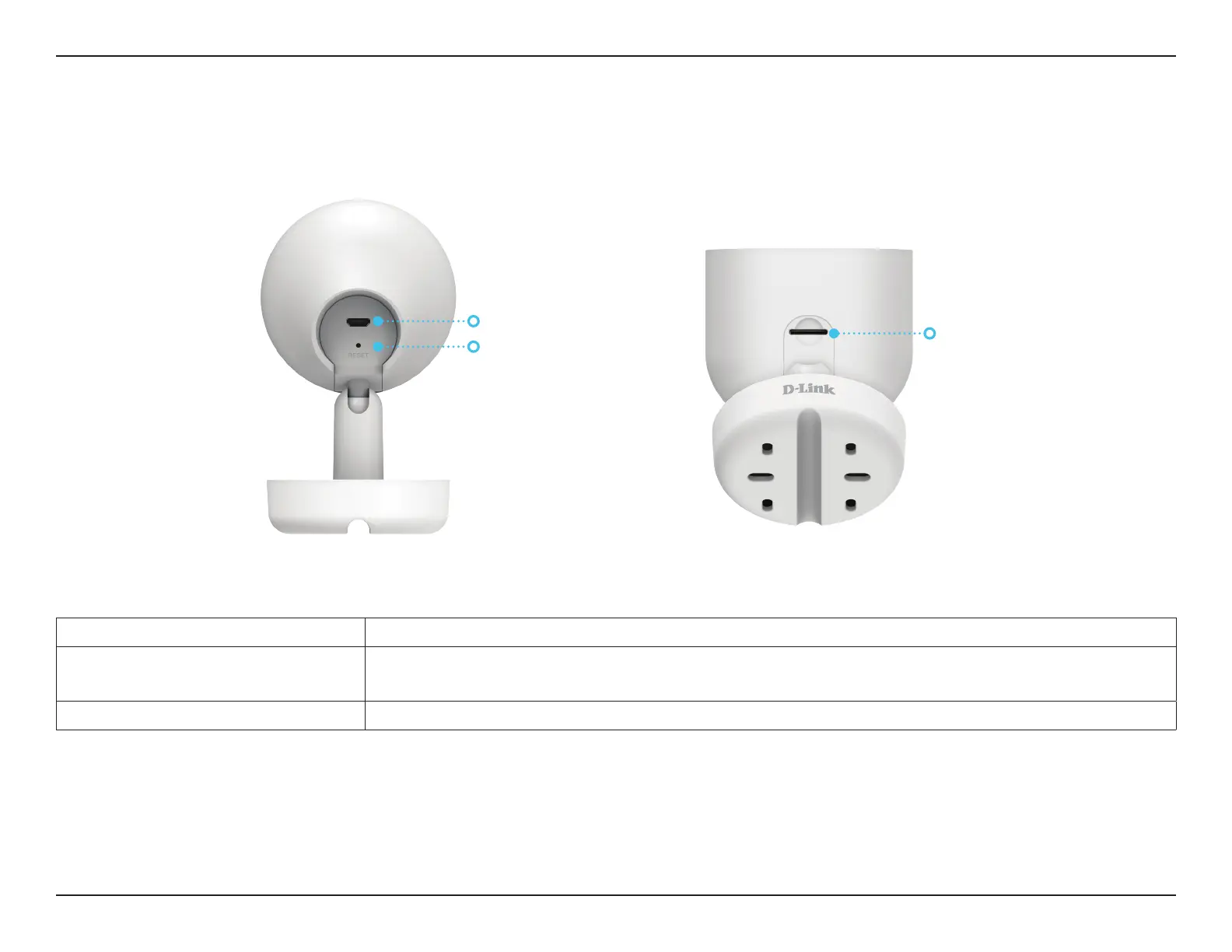
Bottom
Power Connector Attach your power adapter to this port to supply power to the device.
Reset Button
Hold the recessed button down until the Status LED turns red to reset the camera to
factory default settings.
microSD Card Slot microSD card slot, supports up to 256 GB.
Reset Button
Power Connector
microSD Card Slot


 To Next Page