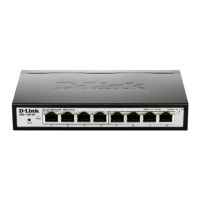
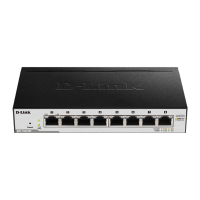
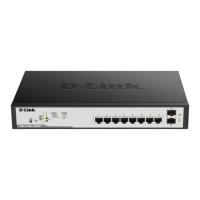
This document describes the D-Link DGS-1100-10MPP and DGS-1100-10MPP/B, which are EasySmart managed switches designed for small and medium-sized businesses. These devices offer a combination of 10/100/1000Base-T PoE ports and 1000Base-X SFP ports, providing flexible connectivity and power options for various network deployments.
Function Description
The DGS-1100-10MPP and DGS-1100-10MPP/B are EasySmart managed switches, meaning they offer a balance between unmanaged plug-and-play simplicity and advanced managed switch features. They are designed to provide a cost-effective solution for deploying a network with Power over Ethernet (PoE) capabilities, which simplifies the installation of devices like IP cameras, VoIP phones, and wireless access points by delivering both data and power over a single Ethernet cable.
The switches support various management options, including a Web-based GUI and the D-Link Network Assistant (DNA) utility, making it easy to configure and monitor network settings. Key management features include VLANs for network segmentation, QoS (Quality of Service) for prioritizing critical traffic, and basic security features to protect the network.
Important Technical Specifications
Both models share many core specifications, with the primary difference being the PoE budget and the specific PoE standards supported.
- Ports:
- 8 x 10/100/1000Base-T PoE ports
- 2 x 1000Base-X SFP ports
- PoE Support:
- DGS-1100-10MPP/C: Supports PoE 802.3af/802.3at (30 W) on ports 1-8, with a total PoE budget of 90 W.
- DGS-1100-10MPP/B: Supports UPoE 802.3bt (75 W) on ports 7-8 and PoE 802.3af/802.3at (30 W) on ports 1-8, with a total PoE budget of 242 W. This model offers higher power delivery for more demanding PoE devices.
- Switching Capacity: 20 Gbps
- Forwarding Rate: 14.88 Mpps
- MAC Address Table Size: 8K entries
- Jumbo Frame Support: 9KB
- Buffer Memory: 512 KB
- Dimensions (W x D x H): 280 x 180 x 44 mm
- Weight:
- DGS-1100-10MPP/C: 1.77 kg
- DGS-1100-10MPP/B: 2 kg
- Power Input: 100-240 VAC, 50/60 Hz
- Power Consumption:
- DGS-1100-10MPP/C: Max 90 W (with PoE), 7.5 W (without PoE)
- DGS-1100-10MPP/B: Max 242 W (with PoE), 14.6 W (without PoE)
- MTBF:
- DGS-1100-10MPP/C: 362,120 hours
- DGS-1100-10MPP/B: 1,719,951 hours
- Operating Temperature: -5°C to 50°C
- Storage Temperature: -40°C to 70°C
- Operating Humidity: 0% to 95% non-condensing
- Storage Humidity: 0% to 95% non-condensing
- Certifications: FCC, CE, VCCI, BSMI, CCC, cUL, UL, LVD, CB, CCC, BSMI
Usage Features
- EasySmart Management: The switches are designed for ease of use. The D-Link Network Assistant (DNA) utility automatically discovers D-Link Smart switches within the same L2 network segment, allowing for quick initial setup. The Web-based GUI provides a user-friendly interface for more detailed configuration.
- Flexible Deployment: The compact size allows for desktop or shelf installation. For rack-mounted deployments, the switches can be installed in a standard 19-inch rack using the included rack mounting brackets.
- PoE Capabilities: The integrated PoE ports simplify network deployments by eliminating the need for separate power outlets for connected devices. The DGS-1100-10MPP/B, with its higher PoE budget and UPoE support, is particularly suitable for powering more power-intensive devices.
- SFP Ports: The two SFP ports provide flexible uplink options, allowing for fiber optic connections to other switches or servers over longer distances, which is ideal for expanding network reach.
- Green Ethernet: The switches incorporate D-Link Green Ethernet technology, which helps save energy by detecting link status and cable length, adjusting power consumption accordingly.
- Quality of Service (QoS): Supports 802.1p QoS, enabling administrators to prioritize network traffic, ensuring that time-sensitive applications like VoIP and video conferencing receive adequate bandwidth.
- VLAN Support: VLANs (Virtual Local Area Networks) allow for logical segmentation of the network, improving security and performance by isolating different groups of users or devices.
- Loopback Detection: This feature helps prevent network loops, which can cause broadcast storms and bring down the network.
- Cable Diagnostics: Allows administrators to quickly identify cable issues, reducing troubleshooting time.
Maintenance Features
- Grounding: Proper grounding of the switch is crucial for safety and to prevent damage from electrical surges. The manual provides detailed instructions for connecting the grounding cable to the switch and a suitable grounding point.
- Power Connection: The switch uses a standard AC power cord. For added security, the power cord can be secured with a retainer clip to prevent accidental disconnection.
- Firmware Updates: D-Link regularly releases firmware updates to improve performance, add new features, and address security vulnerabilities. It is recommended to keep the switch's firmware up to date.
- Troubleshooting: The manual provides basic troubleshooting steps, such as checking LED indicators and verifying cable connections. For more complex issues, D-Link's technical support resources are available.
- Cleaning: The device should be kept clean and free of dust to ensure proper ventilation and prevent overheating. Use a soft, dry cloth for cleaning. Avoid using abrasive cleaners or solvents.
- Ventilation: Ensure adequate ventilation around the switch to prevent overheating. Do not block the ventilation openings.
- Power Failure: In the event of a power failure, the switch will power back on automatically once power is restored.
- Warranty: The product comes with a warranty, and details regarding warranty periods and service centers are provided in the manual.
- Technical Support: D-Link offers technical support through various channels, including phone and email, to assist with product inquiries and troubleshooting.

 Need help?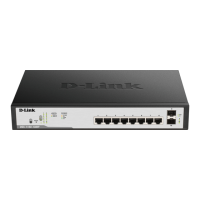


 To Next Page
 General