10D-Link DHP-348AV User Manual
Section 2 - Installation
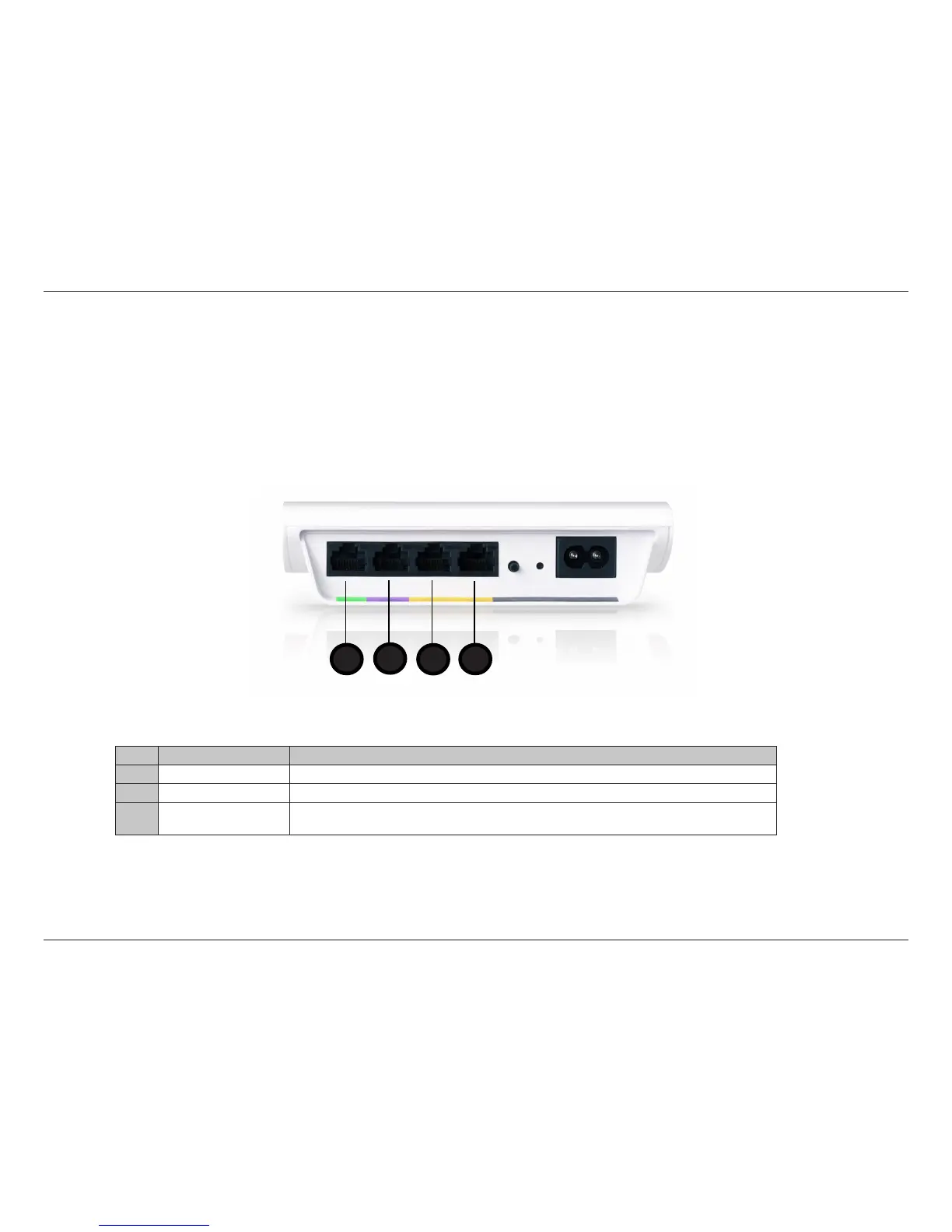
DHP-346AV Ethernet Port Trac Priority
When connecting devices to your Ethernet ports, be aware of the Quality of Service (QoS) priorities assigned to each port.
1
2
4
3
Port Color Description
1 & 2 Yellow Both ports have medium priority and are best for networking data devices such as printers.
3 Purple Has a high priority. You can connect devices such as game consoles to this port.
4 Light Green
Has the highest priority and gives uninterrupted service to the connected devices such as media
players or Internet TV.


 To Next Page