DIR-320NRU Quick Installation Guide
Configuring Wi-Fi Adapter in OS Windows XP
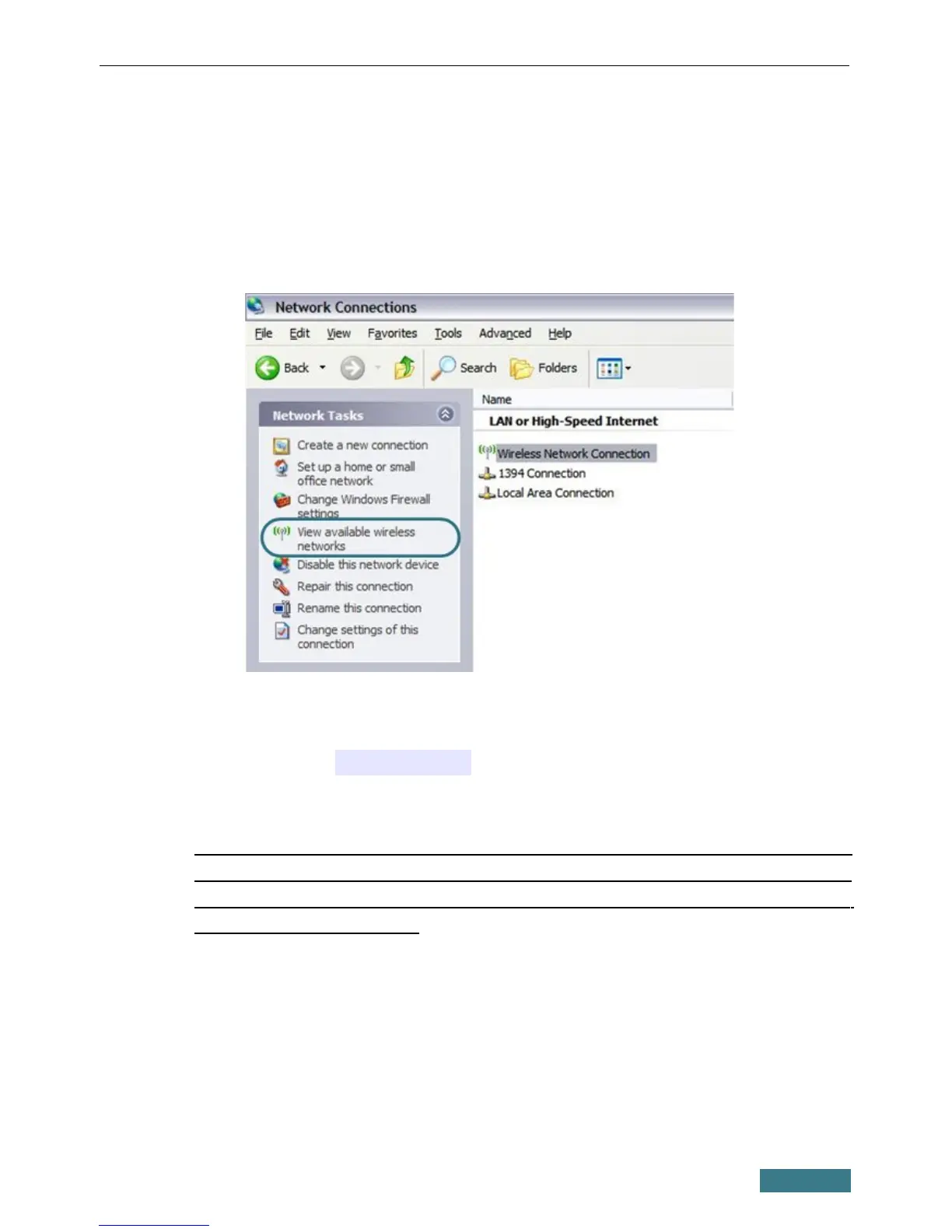
1. Click the Start button and proceed to the Control Panel > Network
and Internet Connections > Network Connections window.
2. Select the icon of the wireless network connection and make sure that
your Wi-Fi adapter is on.
3. Search for available wireless networks.
4. In the opened Wireless Network Connection window, select the
wireless network DIR-320NRU and click the Connect button.
After that the Wireless Network Connection Status window appears.
!
If you perform initial configuration of the router via Wi-Fi connection,
note that immediately after changing the wireless default settings of the
router you will need to reconfigure the wireless connection using the
newly specified settings.
11



 To Next Page