49D-Link DIR-456 User Manual
Section 3 - Configuration
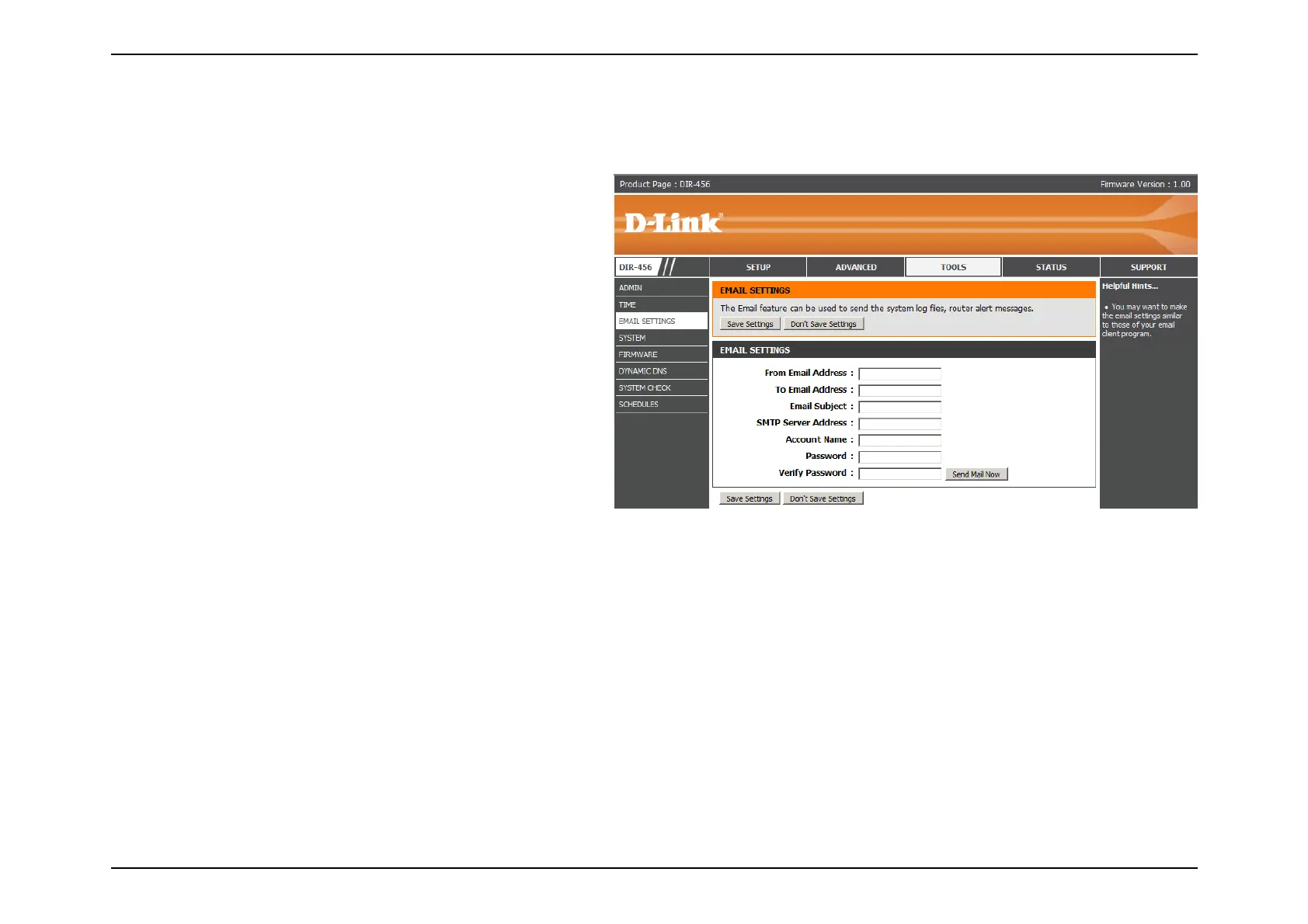
Enter the e-mail address to be
displayed in the from field of
the e-mail that is send from the
router.
Enter the e-mail address of the
recipient.
Enter the subject of the e-mail to
be sent.
Enter the SMTP server address for
your e-mail account.
Enter the account name for your
e-mail account.
Enter the password associated with the account.
Re-enter the password associated with the account.
Click the Send Mail Now button to send a test message to e-mail address specified in the To Email Address
field.
Click Save Settings to save your changes, or click Don’t Save Settings to discard your changes.
From Email Address:
To Email Address:
Email Subject:
SMTP Server Address:
Account Name:
Password:
Verify Password:
Send Mail Now:
The Email feature can be used to send the system log files and router alert messages.
Email Settings



 To Next Page