81D-Link DIR-605 User Manual
Section 11 - Connecting to an Unsecured Wireless Network
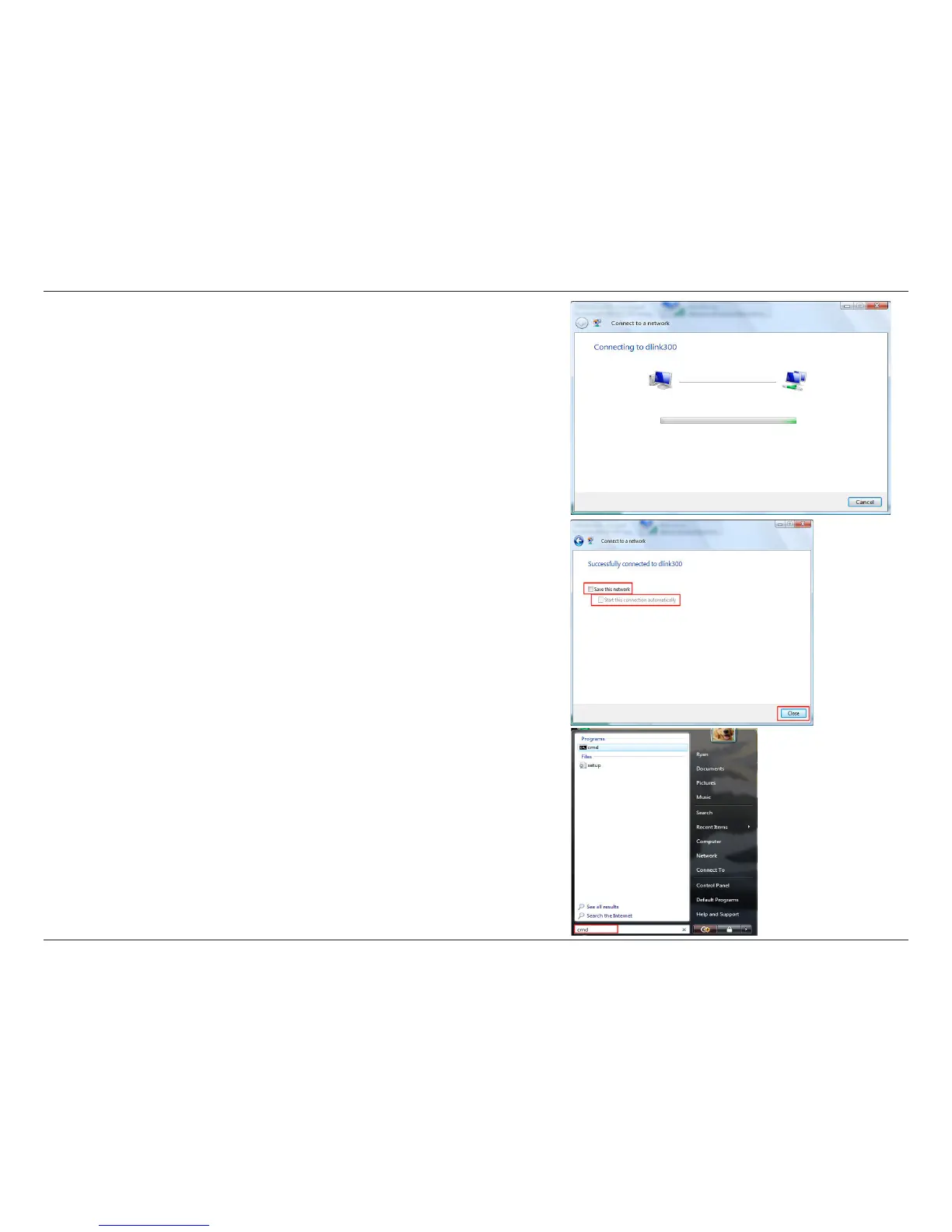
6. The following Connect to a network wizard window displays the
system progress.
7. The following Successfully connected to dlink300 window in the
Connect to a network wizard is displayed. Choose to save to the
network and/or start the new connection automatically. When you
are nished, click the Close button.
8. The successful connection is displayed at the bottom of the Windows
start up menu.












 To Next Page