DIR-843 Quick Installation Guide
Configuring Local Area Network
1. Go to the Connections Setup / LAN page.
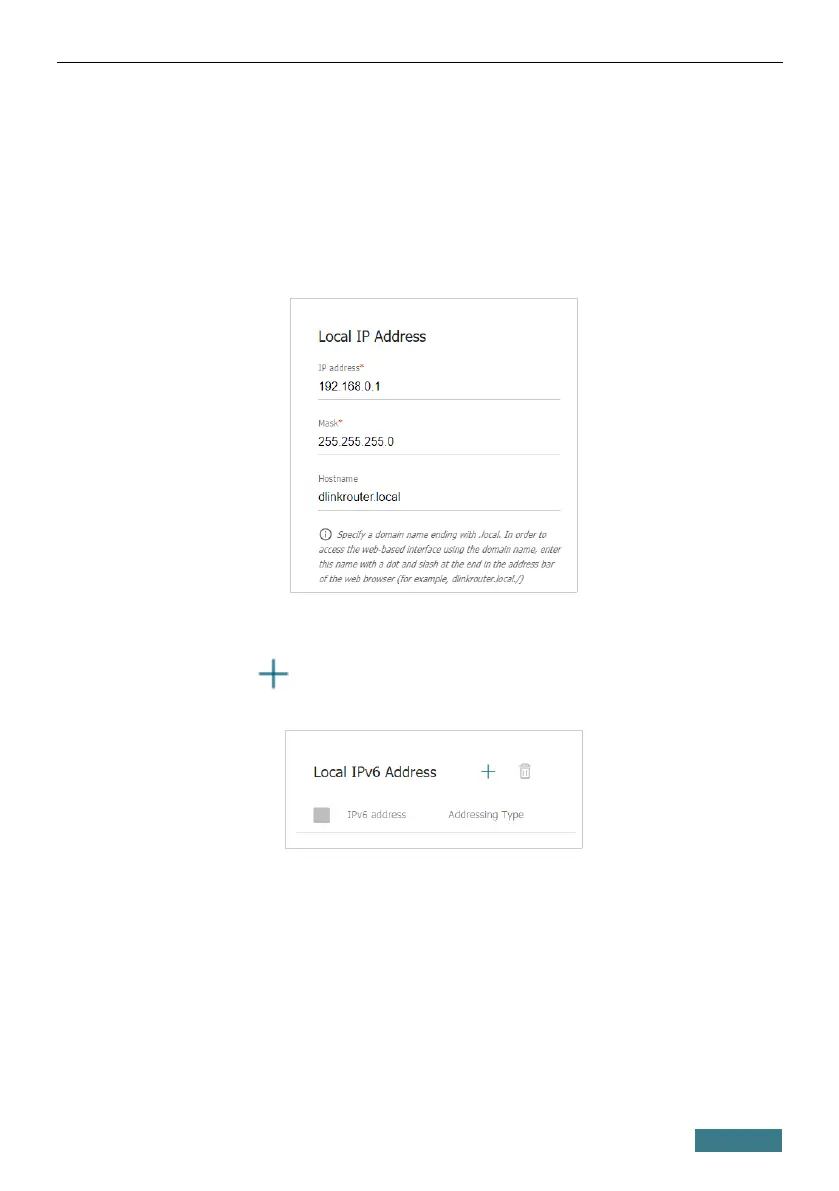
2. If needed, change the IPv4 address of the router's LAN interface and the
mask of the local subnet. To do this, click the IPv4 tab and specify
needed values in the IP address and Mask fields in the Local IP
Address section.
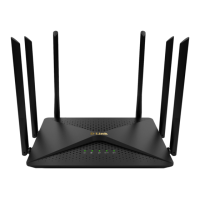
3. If needed, add a static IPv6 address of the router's LAN interface. To do
this, click the IPv6 tab. In the Local IPv6 Address section, click the
ADD button ( ). In the opened window, specify needed values in the
IPv6 address and Prefix fields and click the APPLY button.
37


 To Next Page