DIR-879 Quick Installation Guide
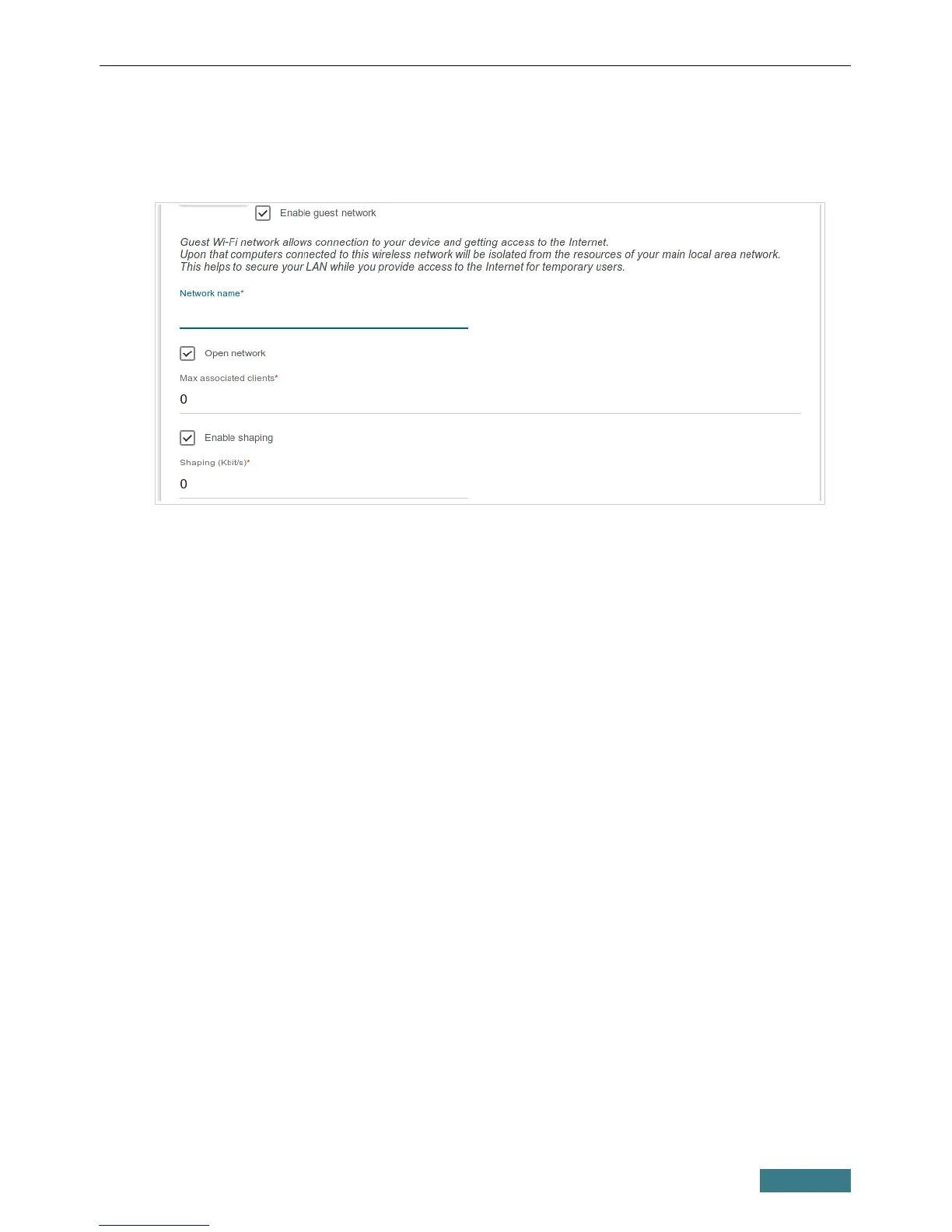
4. If you want to create an additional wireless network isolated from your
LAN, select the Enable guest network checkbox (available if the
switch is in the router mode).
5. In the Network name field, specify your own name for the guest
wireless network or leave the value suggested by the router.
6. If you want to create a password for access to the guest wireless network,
deselect the Open network checkbox and fill in the Password field.
7. If you want to limit the bandwidth of the guest wireless network, select
the Enable shaping checkbox and fill in the Shaping field.
8. Click the NEXT button.
9. On the Wireless Network 5GHz page, specify needed settings for the
wireless network in the 5GHz band and click the NEXT button.
27



 To Next Page