DIR-X1530 AX1500 Wi-Fi 6 Gigabit Router
User Manual
Configuring via Web-based Interface
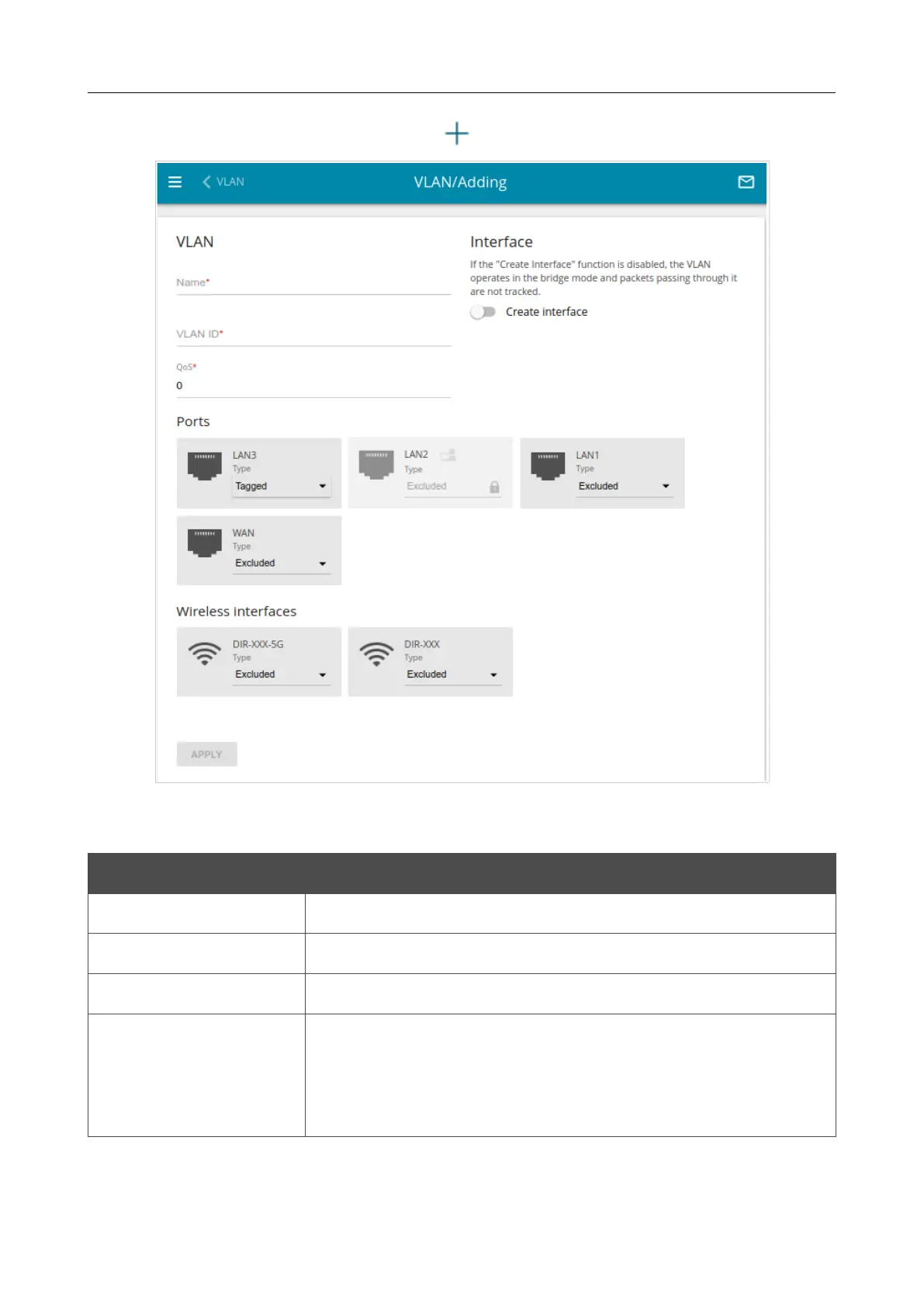
To create a new VLAN, click the ADD button ( ).
Figure 131. The page for adding a VLAN.
You can specify the following parameters:
Parameter Description
Name
A name for the VLAN for easier identification.
VLAN ID
An identifier of the VLAN.
QoS
A priority tag for the transmitted traffic.
Create interface
Move the switch to the right to create an interface that can be used
for creating WAN connections.
Move the switch to the left for the VLAN to work in the bridge
mode. This mode is mostly used to connect IPTV set-top boxes.
Page 173 of 254















 To Next Page