23D-Link DIR-X1550 User Manual
Section 3 - Conguration
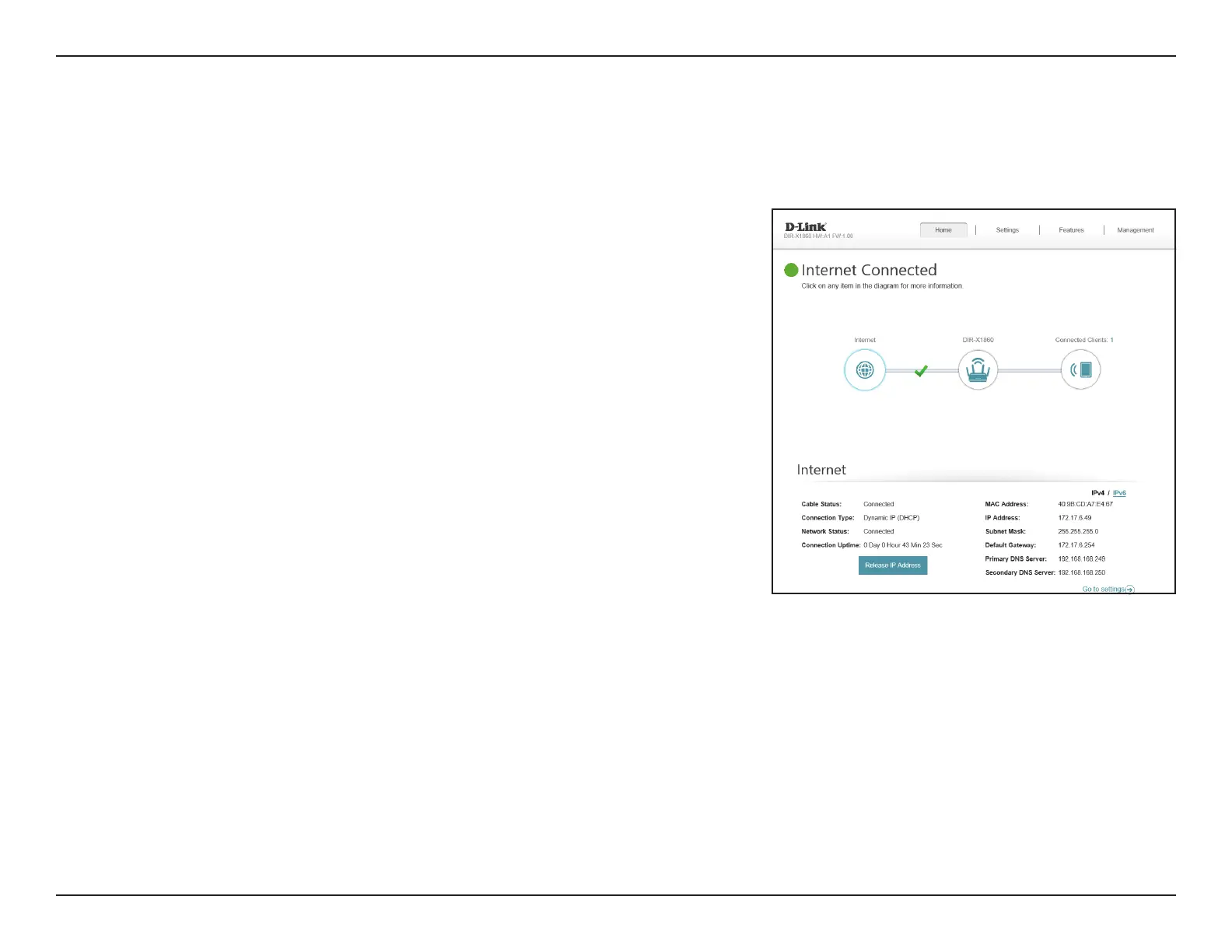
To bring up more details about your Internet connection, click on the Internet icon.
Internet
Click IPv4 or IPv6 to see details of the IPv4 connection and IPv6 connection
respectively.
Click Release IP Address to disconnect from the Internet. If you do this and
wish to reconnect, click Renew.
To recongure the Internet settings, refer to Internet - IPv4 on page 28










 To Next Page