-7-
FAQ : How to Configure Dynamic DNS (DDNS) on the DSL-2750E
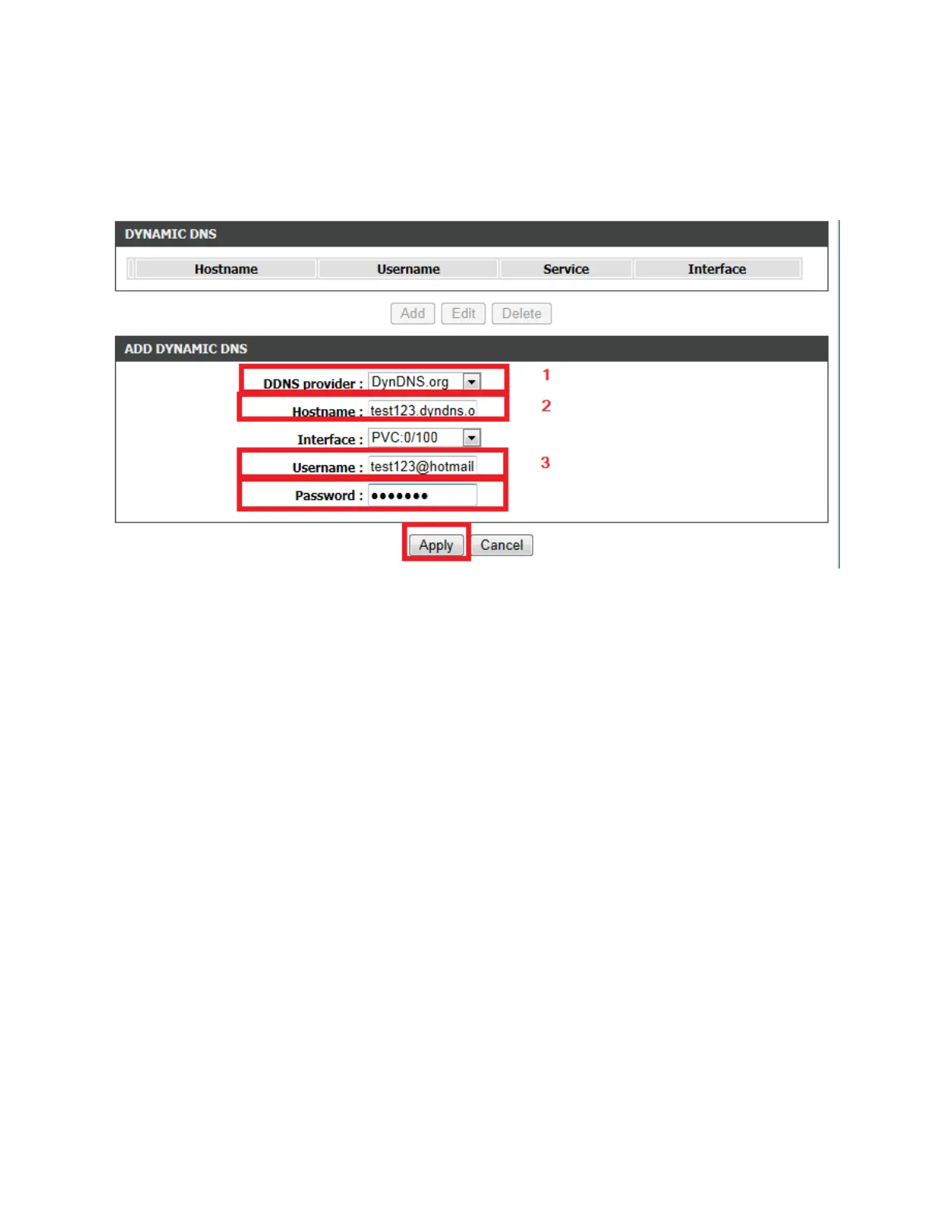
Step 5: Under the ADD DYNAMIC DNS section, configure the following;
1. Select the DDNS Provider that you've registered for the DDNS service
2. Enter the Host Name that you've registered for the DDNS service
3. Enter the Username and Password used to login to your DDNS Provider Service
4. Click on the Apply button


 To Next Page
 Loading...














