DWL-700AP User’s Manual
14D-Link Systems, Inc.
Using the Configuration Utility (continued)
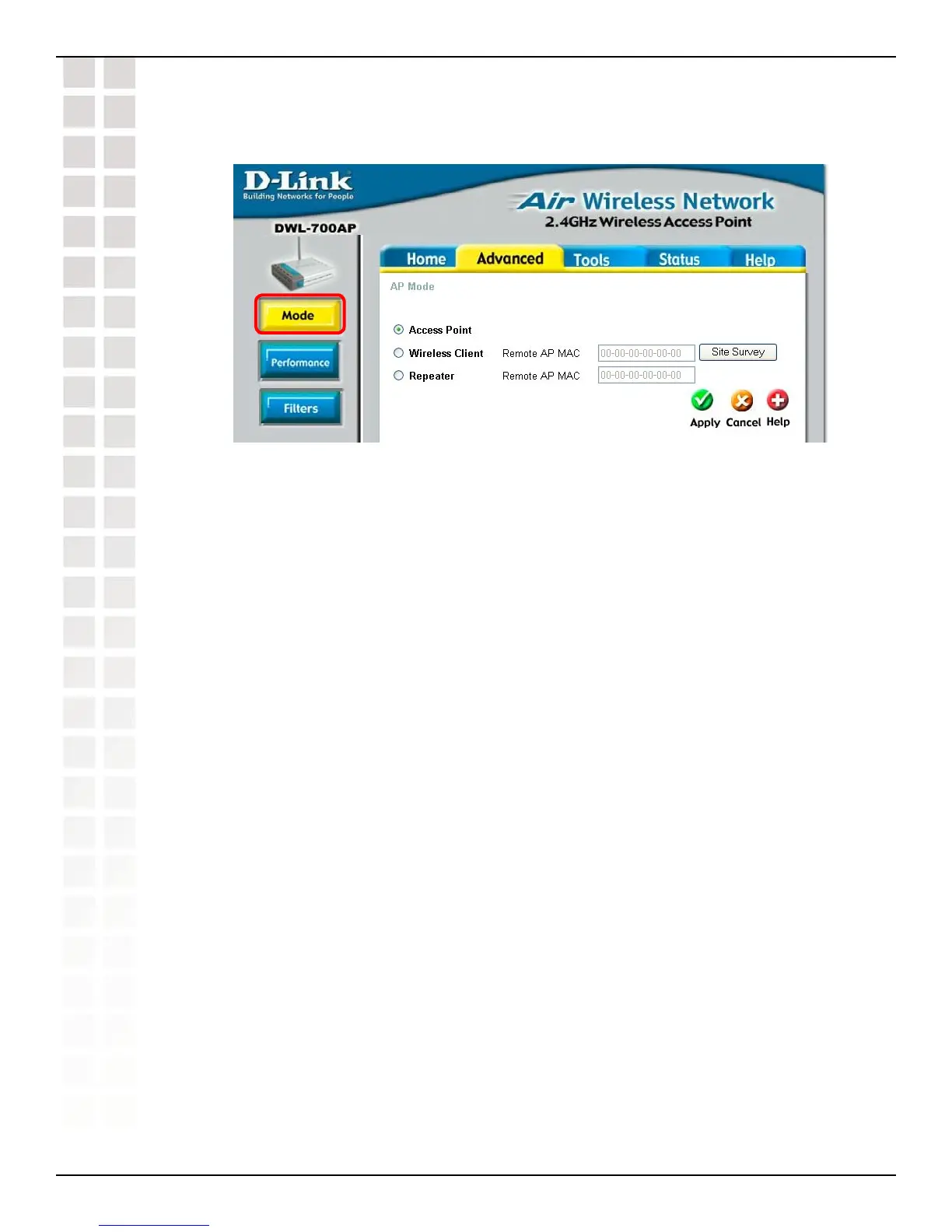
Access Point: Select this option to use the DWL-700 AP as an access point in your
network.
Wireless Client: Select this option to use the DWL-700AP as a wireless client in your
network. A wireless client is a device that connects to the network through a router or
an access point.
Remote AP MAC: Input the MAC Address of the remote AP to which the
DWL-700AP will connect when it is in wireless client mode.
Site Survey: Click the Site Survey button to select a remote AP to which you
wish to connect.
Repeater: Select this option to use the DWL-700AP to extend the reach of a remote
AP by repeating the signal.
Remote AP MAC: Input the MAC Address of the remote AP that will have its
range extended by the DWL-700AP.
Site Survey: Click the Site Survey button to select a remote AP that you wish
to repeat.
Advanced > Mode
Using the Configuration Utility












 To Next Page