Page | 4
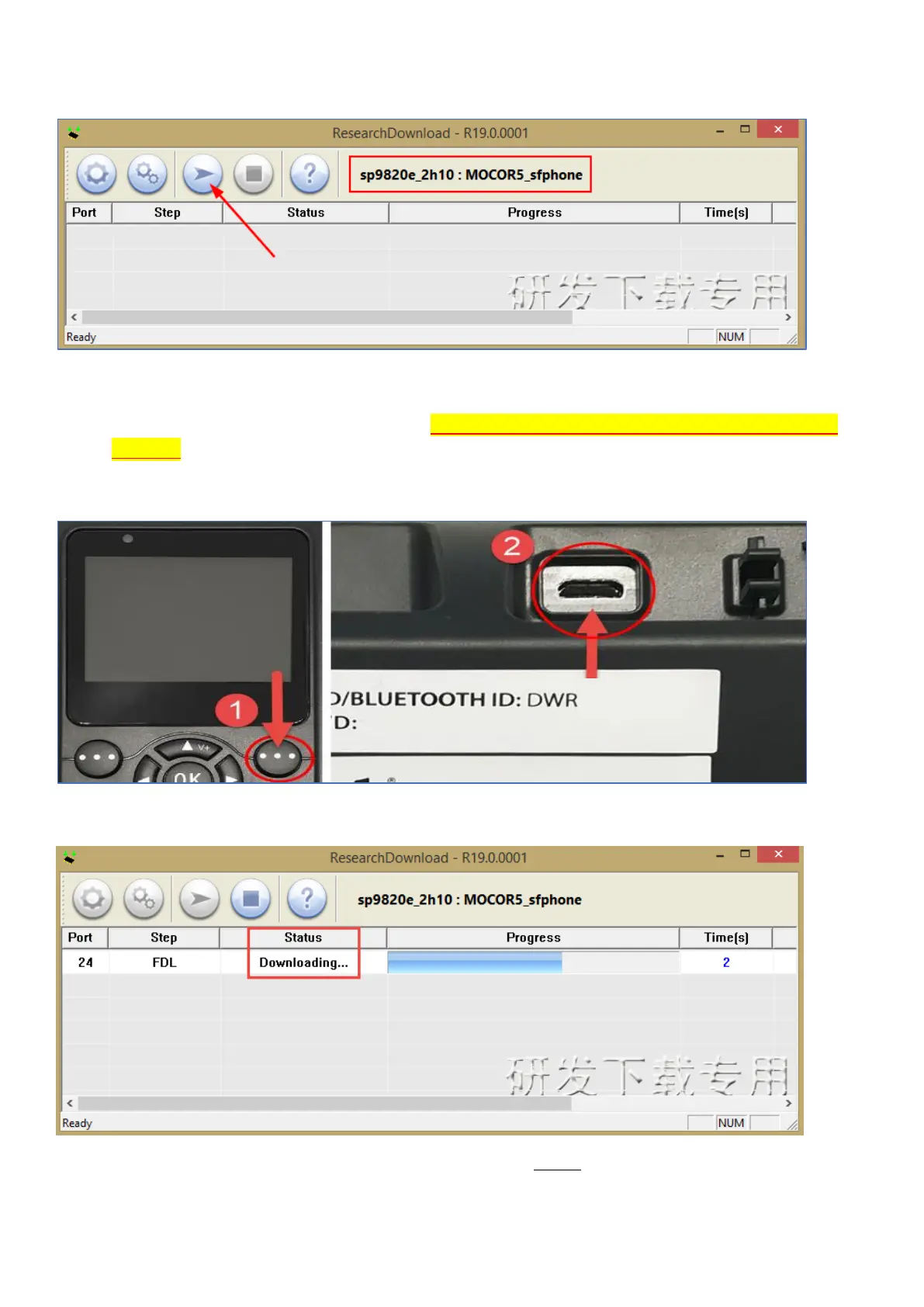
8) Once the packet file has been loaded, your program screen will look like the below. Press the Play
button as indicated by the arrow below. The Play button will turn grey to show it is now running.
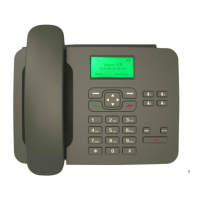
9) For the next step, make sure the phone is POWERED OFF and the Battery and power adapter is
removed. Hold down the Right Option Key on the front face of the phone, plug the USB cable from
your PC/laptop to the USB port on the back of the phone as shown below. If you already have the
USB cable plugged into the phone, you can unplug and repeat step 9.
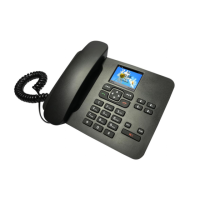
10) Keep the Right Option Key held in until you see the program starting to download as indicated
below. Once you see the below status Downloading…, you can release the Right Option Key.
11) Wait until you see the program progress bar indicating Ready. This process can take about 55s to
2min depending on the pc.


 To Next Page