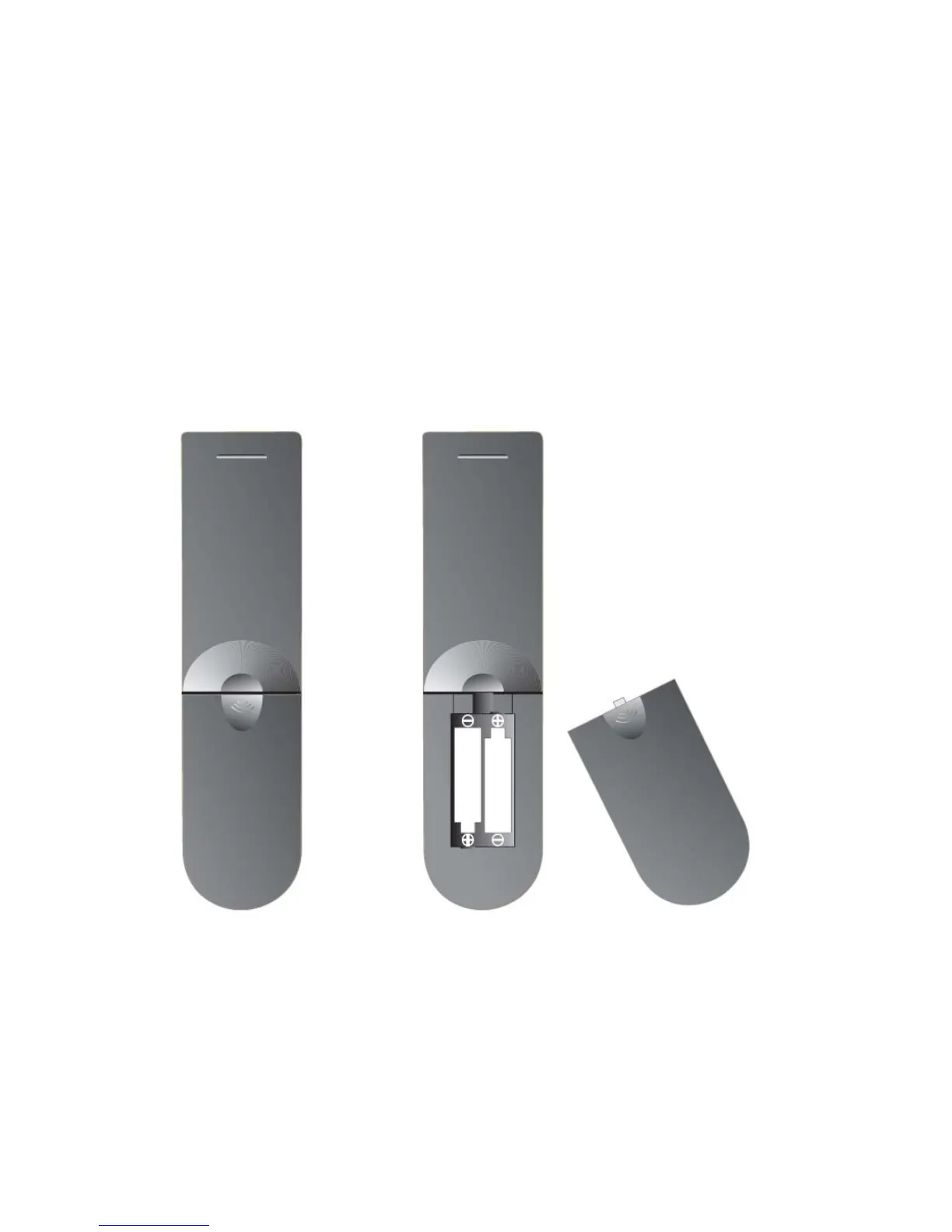
1.
Open the battery cover
2.
Fit two “AAA”
batteries (Not supplied). Ensure the battery polarities are correct i.e
+ to +
and –
to -.
3.
Replace the battery cover
To prevent injury, do NOT break open or throw exhausted batteries in a fire. Do not
place in the domestic waste, consult your local waste disposal company.
Do not mix batteries, old and new, Carbon or Alkaline.
Do not use re chargeable batteries.
Remove batteries if not using the remote control for long periods to prevent leakage.
If the batteries do leak, clean the compartment with soapy water
and scrape any residue
from the contacts. To NOT touch or ingest battery residue.
5. Remote Control.
7


 To Next Page