EasyManua.ls Logo

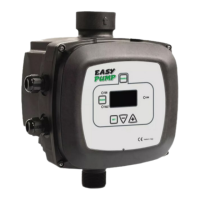
DAB PWM II 230 D 4.7 - User Manual

DAB PWM II 230 D 4.7
840 pages
Go to English
Print Icon
To Next Page IconTo Next Page
Loading...
ISTRUZIONI PER L'INSTALLAZIONE E LA MANUTENZIONE
INSTRUCTIONS FOR INSTALLATION AND MAINTENANCE
INSTRUCTIONS POUR L'INSTALLATION ET LA MAINTENANCE
INSTALLATIONS- UND WARTUNGSANLEITUNGEN
INSTRUCTIES VOOR INSTALLATIE EN ONDERHOUD
INSTRUCCIONES DE INSTALACIÓN Y MANTENIMIENTO
INSTALLATIONS- OCH UNDERHÅLLSANVISNING
ΟΔΗΓΙΕΣ ΓΙΑ ΤΗΝ ΕΓΚΑΤΑΣΤΑΣΗ ΚΑΙ ΤΗ ΣΥΝΤΗΡΗΣΗ
KURMA VE BAKIM BİLGİLERİ
NÁVOD NA INŠTALÁCIU A ÚDRŽBU
РУКОВОДСТВО ПО МОНТАЖУ И ТЕХНИЧЕСКОМУ ОБСЛУЖИВАНИЮ
INSTRUCTIUNI PENTRU INSTALARE SI INTRETINERE
INSTRUÇÕES PARA A INSTALAÇÃO E A MANUTENÇÃO
ASENNUS- JA HUOLTO-OHJEET
INSTRUKCJA MONTAŻU I KONSERWACJI
ІНСТРУКЦІЇ ЗІ ВСТАНОВЛЕННЯ ТА ТЕХНІЧНОГО ОБСЛУГОВУВАННЯ
NÁVOD K INSTALACI A ÚDRŽBĚ
    
PWM II 230 D 4.7
PWM II 230 D 10.5
PWM II 400 D 7.5
PWM II 400 D 13.3
PWM II MONOBASIC 8.5
PWM II MONOBASIC DV 11
PWM II MONOBASIC DV 14

Questions and Answers

  • M
    Michael GriffithAug 16, 2025
    What to do if my DAB PWM II 230 D 4.7 display shows OF?
    • G
      gosborneAug 16, 2025
      If your DAB Inverter display shows 'OF', it could be due to several reasons. First, check for excessive absorption by verifying the type of connection (star or delta), ensuring the motor's current draw doesn't exceed the inverter's maximum admissible value, and confirming all motor phases are connected. Second, inspect the pump for blockages or obstructions caused by foreign objects, and check the motor phase connections. Lastly, if the pump absorbs high current during start-up, reduce the acceleration parameter AC.
  • E
    Elizabeth MooreAug 18, 2025
    What to do if my DAB PWM II 230 D 4.7 display shows BL?
    • T
      Tyler HebertAug 18, 2025
      If the display of your DAB Inverter shows 'BL', the possible causes are: no water, pump not primed, entry of setpoint too high for pump, inverted direction of rotation, incorrect setting of pump current RC, or maximum frequency too low. To solve this: prime the pump and ensure there is no air in the pipelines, and that intake or any filters are not obstructed. Also check that the pipeline from the pump to the inverter is not damaged or leaking. Lower the setpoint or use a pump suited to system requirements. Check the direction of rotation and set a correct value for pump current RC. If possible, increase FS.
  • D
    David CopelandAug 21, 2025
    What to do if my DAB Inverter display shows OC?
    • A
      Angelica QuinnAug 22, 2025
      If your DAB Inverter displays 'OC', it could be due to several reasons: incorrect pump current setting (RC), excessive absorption, pump blockage, or inverted direction of rotation. To resolve this, set RC with the current according to the type of connection (star or delta) as stated on the motor dataplate. Also, check that the motor has all phases connected and inspect the pump to ensure that the impeller or motor is not blocked or obstructed by foreign bodies. Finally, check the direction of rotation.
  • G
    gregorynicoleAug 25, 2025
    Why does my DAB PWM II 230 D 4.7 Inverter pump never stop?
    • I
      Ian StephensAug 25, 2025
      The pump might never stop because of unstable pressure regulation. To fix this, correct GI and GP.
  • W
    William JacksonAug 27, 2025
    What to do if my DAB PWM II 230 D 4.7 Inverter display shows LP?
    • S
      Sarah LuceroAug 28, 2025
      If the display of your DAB Inverter shows 'LP', it could be due to low power supply voltage or excessive voltage drop on the line. Ensure the presence of correct line voltage and check the power cable section.
  • C
    Cassandra KirbyAug 31, 2025
    What does it mean when my DAB PWM II 230 D 4.7 Inverter display shows: Press + to align this config.?
    • N
      Nicole NormanAug 31, 2025
      This message indicates that one or more inverters have sensitive parameters that are not aligned. Press the '+' button on the inverter that has the most recent and correct configuration of parameters.
  • P
    Patricia HughesSep 3, 2025
    What to do if regulation pressure is greater than SP on my DAB PWM II 230 D 4.7 Inverter?
    • L
      Laura JohnsonSep 3, 2025
      If the regulation pressure is greater than SP, it means the FL setting is too high. Reduce the minimum operating frequency FL (if the electric pump enables this).
  • N
    Nicole RoweSep 6, 2025
    What to do if my DAB PWM II 230 D 4.7 Inverter display shows SC?
    • S
      Samantha ManningSep 6, 2025
      If the display on your DAB Inverter shows 'SC', it indicates a short circuit between phases. To solve this, ensure that the motor is in the correct condition and check its connections.
  • J
    Jennifer WalkerSep 9, 2025
    Why does my DAB PWM II 230 D 4.7 Multi-inverter system not start and says firmware incompatible?
    • J
      Jessica ToddSep 9, 2025
      The Multi-inverter system might not start and displays 'firmware incompatible' because the firmware is not aligned with the same version on all inverters. Perform the automatic update procedure among inverters.
  • C
    Clarence SchmittSep 12, 2025
    Why does my DAB PWM II 230 D 4.7 Inverter Multi-inverter system not start and says products incompatible?
    • A
      Amanda HarperSep 12, 2025
      The Multi-inverter system may not start and indicates 'products incompatible' if products of different types or sizes are in communication with one another. To resolve this, use inverters of the same type and size to create multi-inverter systems.

Summary

Warnings

Skilled Personnel

Definition of skilled personnel and their qualifications for installation and operation.

General Information

Applications

Lists the various applications for which the inverter systems are designed.

Technical Specifications

Details the technical specifications for different inverter models and their characteristics.

Installation

Hydraulic Connections

Procedures for connecting the system's hydraulic components, including pump and pipework.

Electrical Connections

Covers power supply, pump, user inputs/outputs, and remote sensor electrical connections.

Integrated Inverter Configuration and Operation

Details configuration, priming procedures, and general operational aspects of the integrated inverter.

Keyboard and Display

User Interface Elements

Describes the display, buttons, and overall appearance of the inverter's user interface.

Menu Navigation

Explains how to access and navigate through the inverter's menus and submenus.

Parameter Setting and Motor Control

Covers password protection for parameter settings and how to enable/disable motor control.

Multi Inverter System

System Setup and Communication

Introduction to multi-inverter systems, setup, communication, and input configuration.

Operating Parameters and Alignment

Details parameter classification (local, sensitive, optional) and alignment for multi-inverter operation.

Start-up and Inverter Management

Covers initial system start-up, inverter settings, start-up order, and reserve inverter management.

Power-Up and Start-Up

Initial Power-Up Operations

Steps for powering up the inverter for the first time and performing essential initial operations.

Wizard-Assisted Parameter Setup

Details the wizard procedure for setting crucial parameters like language, pressure, and frequency.

DAB PWM II 230 D 4.7 Specifications

General IconGeneral
BrandDAB
ModelPWM II 230 D 4.7
CategoryInverter
LanguageEnglish

Related product manuals