17
Android iOS
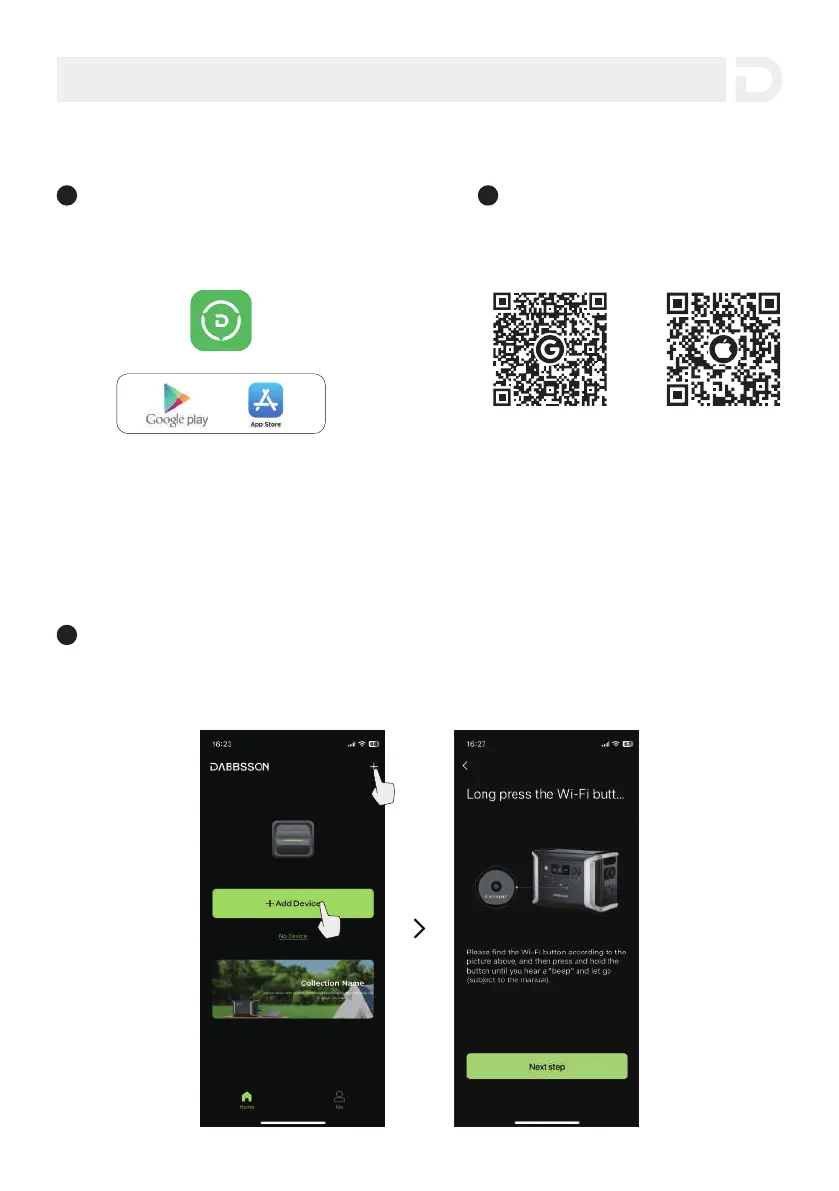
2 You can download the app on the App
Store and Google Play by scanning the
QR codes below.
3. Download the Dabbsson APP on the official website: www.dabbsson.com
Download Dabbsson APP
1 Search for “Dabbsson” in the APP Store
(for iOS devices) or Google Play (for Android devices)
to download the Dabbsson App.
5. App Control
1 Connect the mobile phone to home 2.4G Wi-Fi network, open the DABBSSON APP, select
“+Add Device” or the “+” symbol on the upper right corner of the home page.
Connecting the APP to the product
Method 1: Bluetooth Connection Mode


 To Next Page