20
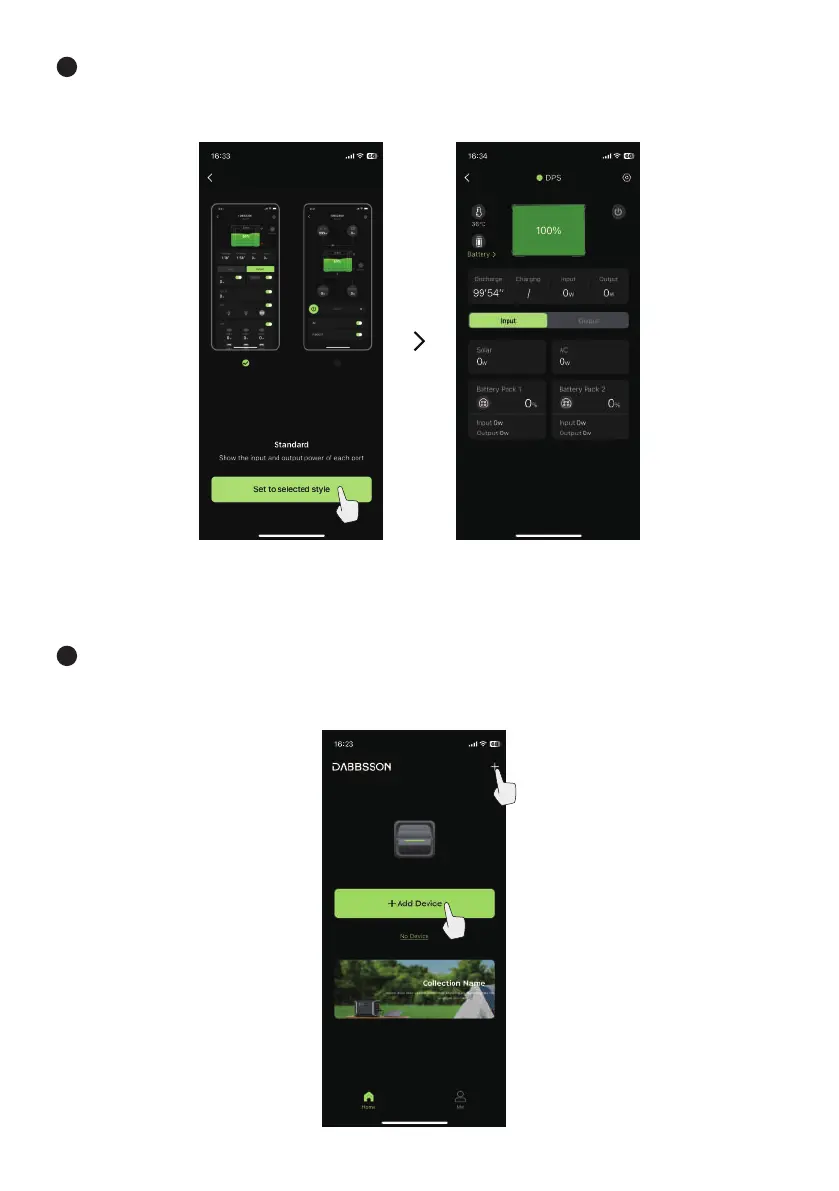
8 After complete adding the device, select a UI style and select “Set to current style” and enter the APP
control interface.
Method 2: Wi-Fi Connection Mode
1 Connect the mobile phone to home 2.4G Wi-Fi network, open the DABBSSON APP, select
“+Add Device” or the “+” symbol on the upper right corner of the home page.


 To Next Page