23
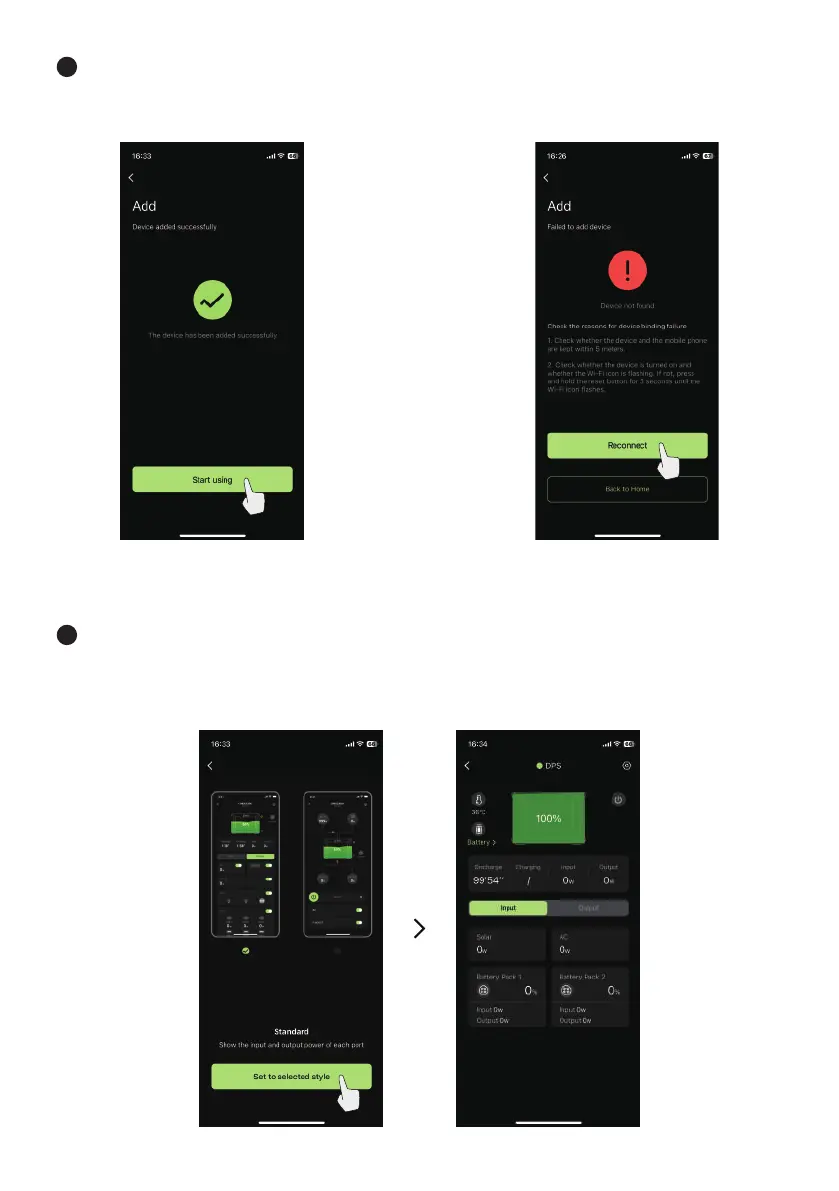
7 After the device is added successfully,
select “Start using”.
If the adding failed and shows following
interface, please select reconnect until the
complete interface appears.
8 After complete adding the device, select a UI style and select “Set to current style” and enter the APP
control interface. After successfully connecting and adding the power station through Wi-Fi for the first
time, the APP can still operate the power station through BT offline after leaving the Wi-Fi network
environment, but it must be within 10 meters.


 To Next Page