12
▶
Programming Remotes:
The Circuit Board has a built in receiver and the remotes, supplied as part of the operator kit, will have already been
programmed to the operator at the factory. To add addional remotes (up to 64) refer to ‘Programming Remotes’
on page 16.
In addion to triggering the operator to open and close, remotes can be programmed with the following features:
●
Addional opening & closing buons:
●
Each remote can be programmed with mulple open and close buons. An example of this feature is
programming one buon to open & close the garage door and a second buon to not only operate the door
but also to open and close a gate or switch on security lights.
●
Remote Holiday Lockout:
●
Any buon (or mulple buons) on a remote can be programmed to enable or disable the Holiday Lockout
feature. When acvated, the display on the operator will change to LO. Placing the controller into Holiday
Lockout will prevent any remote from acvang the operator unl Holiday Lockout is deacvated. This
feature is useful to prevent any members of staff or contractors from entering the garage while the owners
are away.
Courtesy Light Operaon:
The operator has a built in LED light and whenever the operator is acvated, this Courtesy Light will switch on for a
period of 5 minutes. During a power failure, however, the Courtesy Light will only remain on for a period of 1
minute.
In addion to the standard Courtesy Light operaon, the built in LED light can also be switched on and off using a
remote control buon, without acvang the operator. To achieve this, a dedicated buon on the remote must be
programmed to the operator. Pressing this designated buon on the remote will acvate the light for a period of
one hour, unless it is switched off using the same buon again.
▶
An Crush Gap:
The following will happen if the operator receives a trigger from a remote (or the buons on the operator) while the
door is already in moon:
•
If the door is closing, the door will stop briefly and then reopen to the fully open posion.
•
If the door is opening and it is stopped within ±30cm of the fully closed posion, it will connue opening when it
receives the next trigger to prevent it from closing on a child or animal.
•
If the door is opening, and it is stopped further than ±30cm from the closed posion, the door will start to close
when it receives the next trigger.
Door operaon during low baery and power fail condions:
The operator will flash an Lb (Low Baery) error message due to excessive operaons, long power failure or a
damaged baery.
While the Lb condion persists, the door will not close automacally. This is to prevent a person from being locked
out of the garage. The door will have to be closed manually by releasing the Manual Release Mechanism.
Note: If the door is stopped during a power failure while it is closing, it will not automacally reverse back open.
Auto Close Funcon:
The operator can be programmed to automacally close the door aer a programmed period of me. Auto Close
can only be acvated if Safety Beams have been installed. When enabling the Auto Close funcon the Safety Beam
funcon will automacally be enabled.
During a power failure the courtesy light will switch off aer one minute, even if the dedicated light buon is
pressed.
The An Crush Gap is the 30cm space towards the end of the door closing cycle, before the door is fully
closed. This is a built in safety feature to prevent the entrapment of people or animals by the door.
Press the SET buon to acvate the Programming Menu, use the UP and DOWN buons to navigate through the
menu.
To exit the menu, arrow down to the EXIT prompt (bc) and press the SET buon.
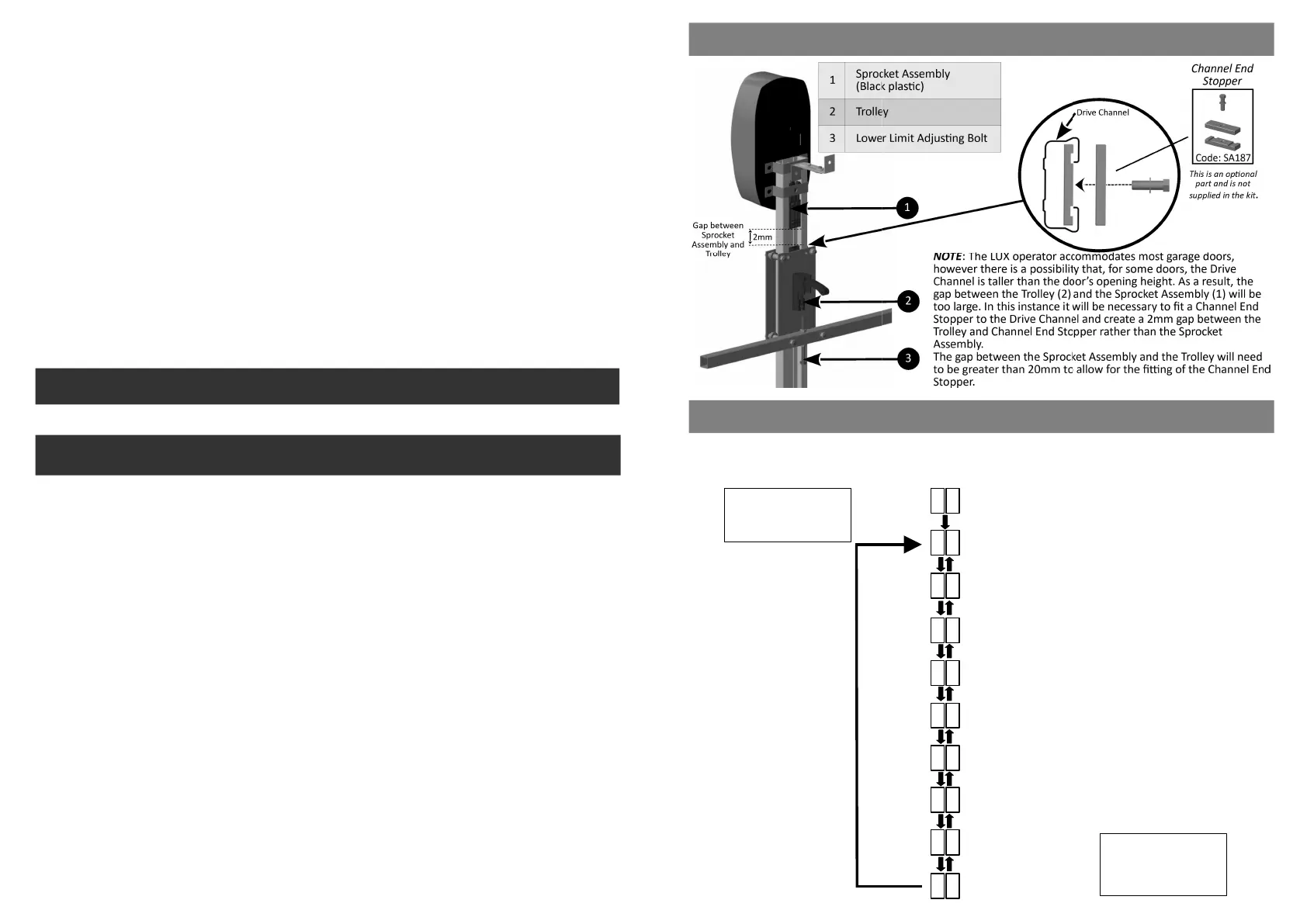
PROGRAMMING MENU
SETTING THE PHYSICAL OPEN & CLOSE LIMITS
Programming Menu
(2) Seng the Opening & Closing Force
(1) Seng the Open and Close Limits
(3) Enable or Disable Safety Beams
(4) Seng Auto Close
(5) Seng Auxiliary Output
(6) Enable or Disable Electric/Magnec Lock
(7) Programming Remotes
(8) Factory Reset
Exit Menu
Press SET to enter
the Programming
Menu.
To exit the
Programming
Menu, press SET at
the bc prompt.
L i
F o
b E
A C
A U
l C
r c
F r
b c
P r
13


 To Previous Page
 Loading...