PAGE 7 / 53
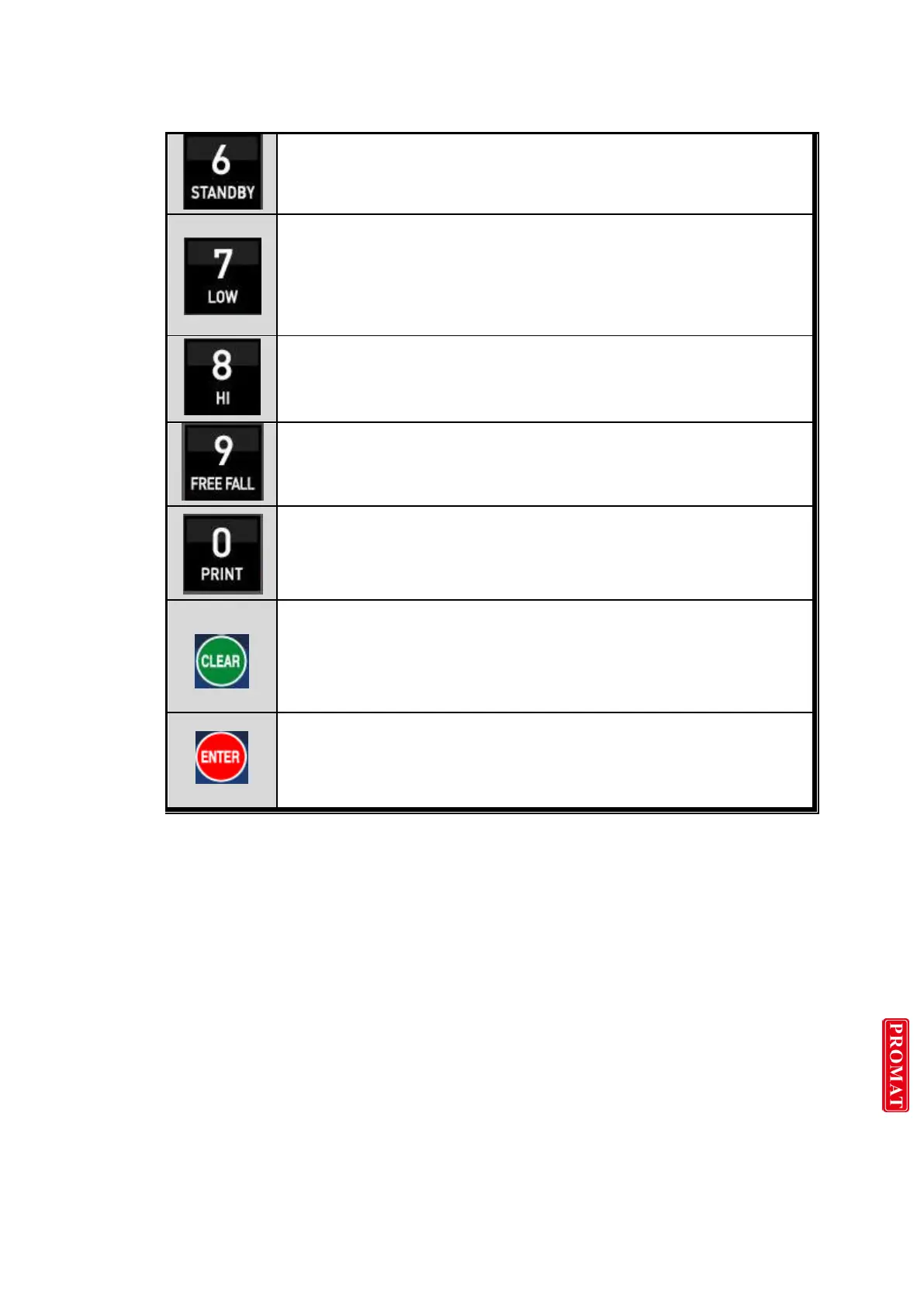
Stop weighing process, under Packer Mode, only.
Set the Low value or Check the current value.
- Press key and enter new set value with keypad, and press enter to save
Set the Hi value or Check the current value.
- Press key and enter new set value with keypad, and press enter to save.
Set “Free Fall” value for “HI” set point
If you set the “Free Fall”, “HI” relay output will be “ON” in advance,
according to “Free Fall” set value.
Manual Printer
- Key input, print output.
Calibration mode
- Digit setting
Whenever pressing “0”key, digit will be change 1, 2, 5, 10, and 50.
1. Modify the set value during setting process.
2. Calibration mode
- Move back to previous step.
3. F-function setting mode
- Change F-function No.
F-function no.(number key) + Clear directly move
1. Save set value during setting process.
2. Calibration mode
- Save current setting and move to next step.
3. F-Function mode
- Save current F-function setting, and move to next F-function



 To Next Page