Installation Instructions .................................................... 6
Installing the Cooktop ...................................................... 6
Connecting the Gas ......................................................... 6
Installing the Burner and Grill Components ..................... 7
Verifying Proper Operation ............................................... 8
Installation Checklist ........................................................ 9
Wiring Diagrams .............................................................. 10
ta b l e o f co n t e n t s
be f o r e Yo u be g I n ...
cu s t o m e r se r v I c e In f o r m a t I o n
Important Safety Instructions .......................................... 1
Important Information About Safety Instructions .............. 1
General Safety Precautions ............................................. 2
Installation Specifications ................................................ 3
Electrical Requirements ................................................... 3
Gas Supply Requirements ............................................... 3
Cabinet and Countertop Layout ....................................... 4
Parts List .......................................................................... 4
All specifications are subject to change without notice. Dacor
assumes no liability for changes in specifications.
IMPORTANT:
Installer• : In the interest of safety and to minimize problems, read these installation instructions completely and
carefully before you begin the installation process. Leave these installation instructions with the customer.
Customer• : Keep these installation instructions for future reference and the local electrical inspector’s use.
NOTE: Dacor
®
is not responsible for service required to correct a faulty installation.
If You Need Help...
If you have questions or problems with installation, contact •
your Dacor dealer or the Dacor Customer Service Team.
When you call, have the model and serial number of the
appliance ready. The model and serial number are printed
on the product data label.
Dacor Customer Service
Phone: (800) 793-0093
Web site: www.Dacor.com
Monday — Friday 6:00 a.m. to 5:00 p.m. Pacific Time
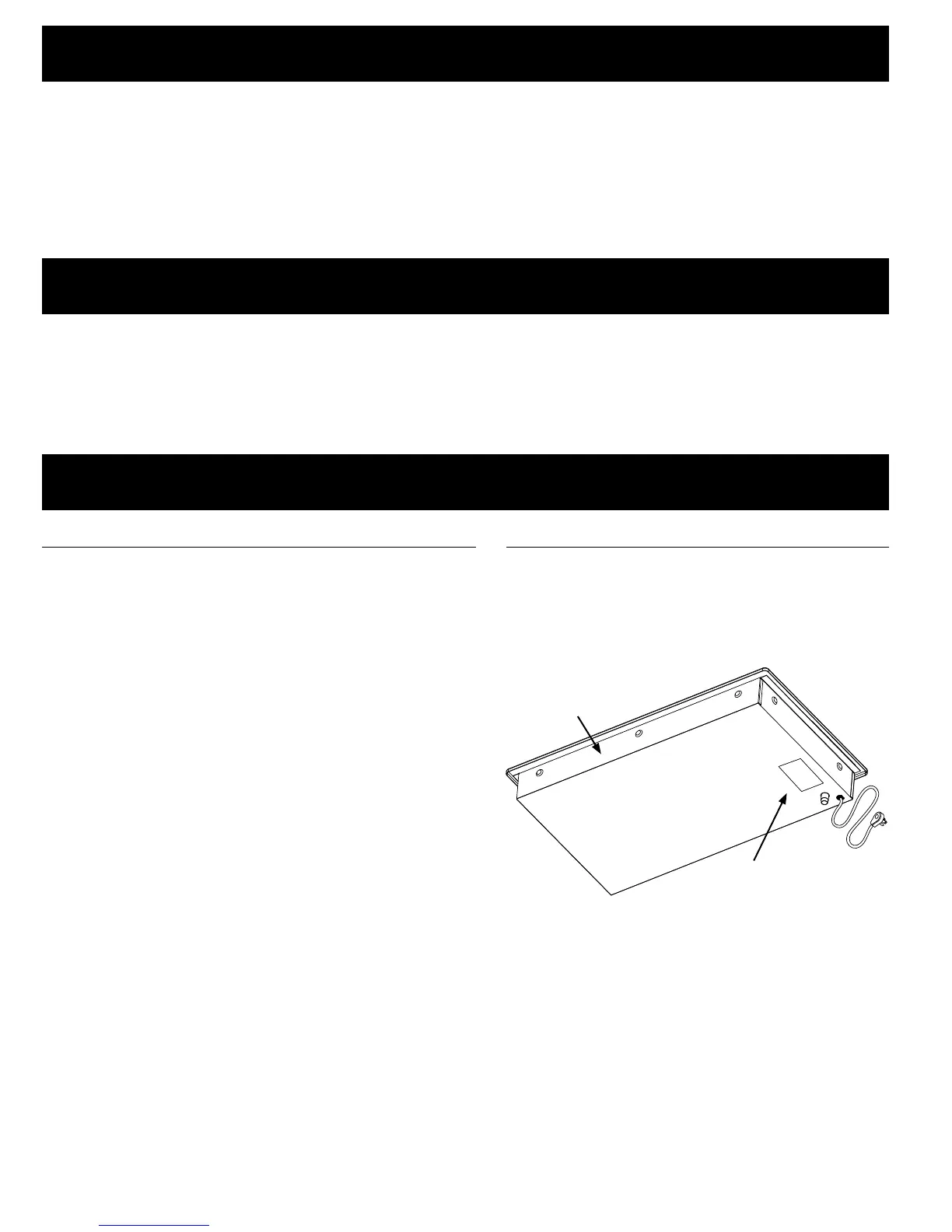
Product Data Label
The product data label contains the model and •
serial number information and the electrical and
gas supply requirements.
It is attached to the chassis on the bottom of the •
unit.
© 2007 Dacor, all rights reserved
Product Data
Label
Front of unit



 To Next Page