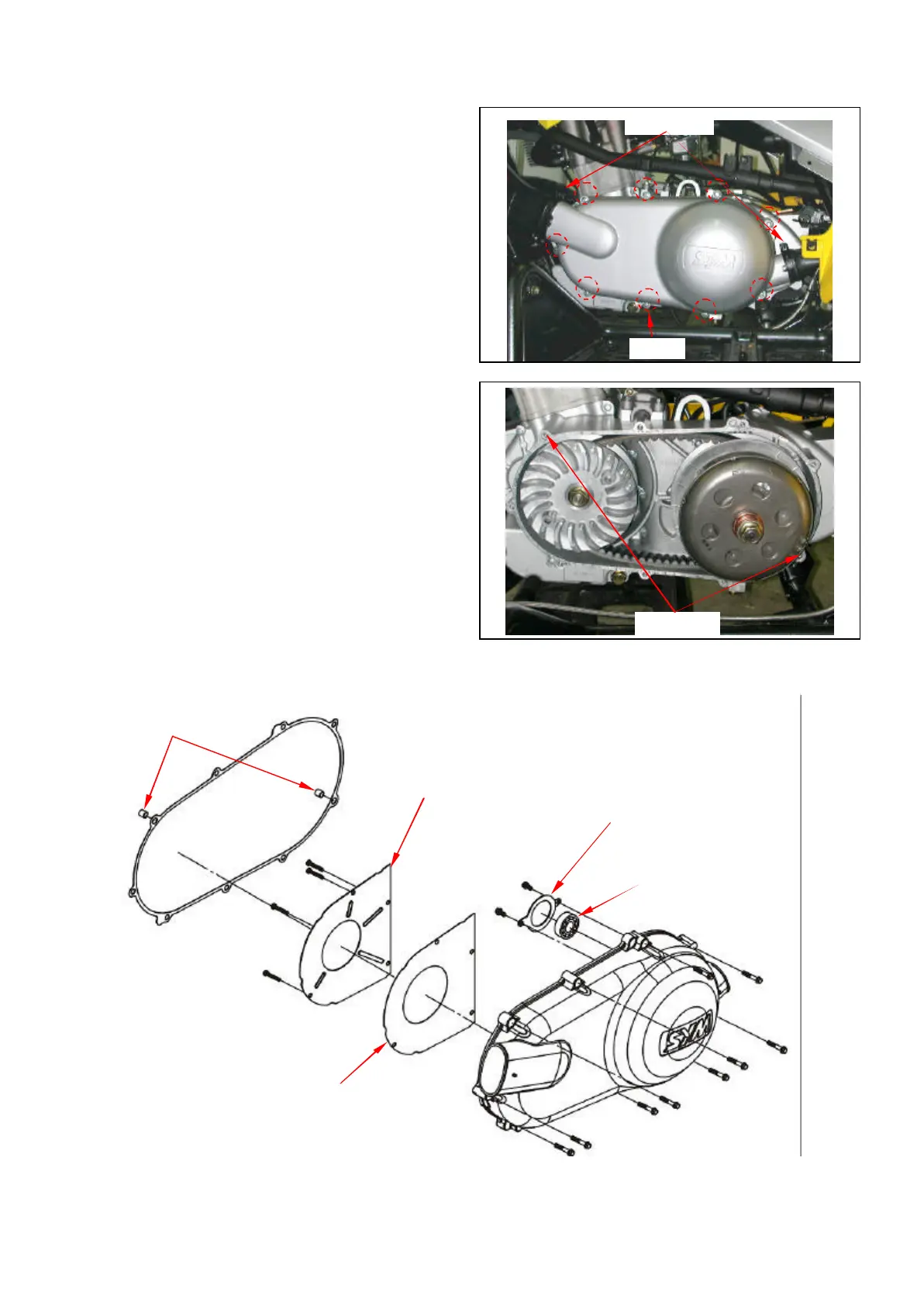
8-4 Left Crankcase Cover
Left crankcase cover removal
Release the 2 clamp strips of left crankcase cover
ducts, and then remove the ducts.
Remove left crankcase cover. (9 bolts)
Remove 2 dowel pin and gasket.
Left crankcase cover install
Install left crankcase cover in the reverse
procedures of removal.
Clamp strips
9 bolts
Dowel pins
Left cover plate
Bearing setting plate
Dowel pins
Drive shaft holder bearing
Left cover plate gasket



 To Next Page