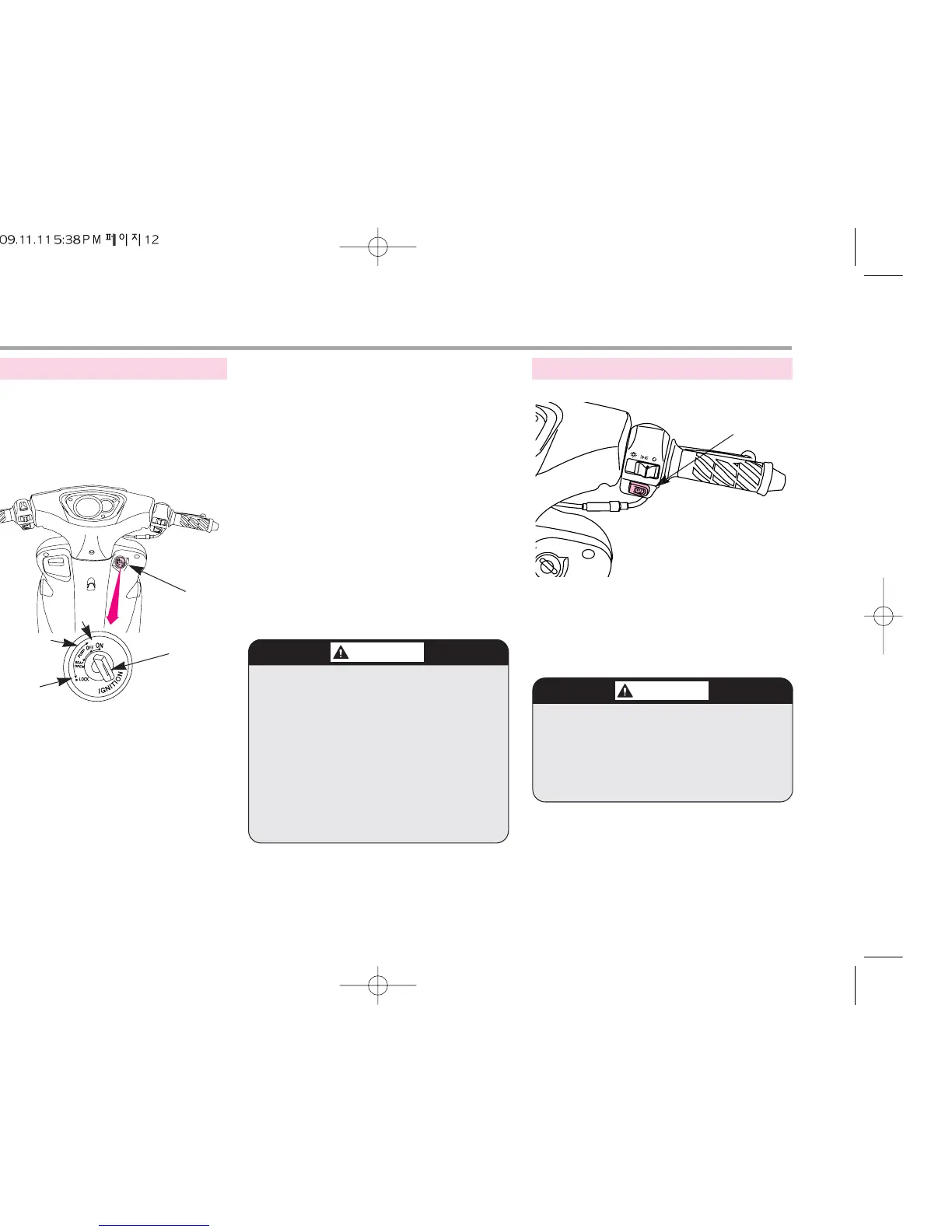
1. ON.... Starts engine. Key can not be
pulled out.
2. OFF....Stops engine. Key can be
placed in or taken out of the
main switch.
3. LOCK....Locks handle bars. Key can be
placed in or taken out of the
main switch.
4. OPEN....When seat lock is released,
key returns to its original
position(OFF). Key can be
placed in or taken out of the
main switch.
The engine is started pressing this button
when pressed in a state where the main
switch key is placed to an ON position
and the brake lever is pulled.
12
●
The engine will not start if the brake
lever is not pulled.
●
Do not hold the brake lever and
the throttle grip when the engine was
started. It may damage the engine.
START BUTTON
START BUTTON
SWITCH OPERATION
●
When you park the vehicle and
leave it, please lock handle bars and
take out the key.
●
Rotate key smoothly without
pressing to turn to OPEN.
●
The headlight will be on auto-
matically. when the key is on, so do
not remove this electric circuit
otherwise, it may cause severe injure
when driving in the night.
MAIN SWITCH
KEY
ON
OFF
LOCK
MAIN SWITCH



 To Next Page