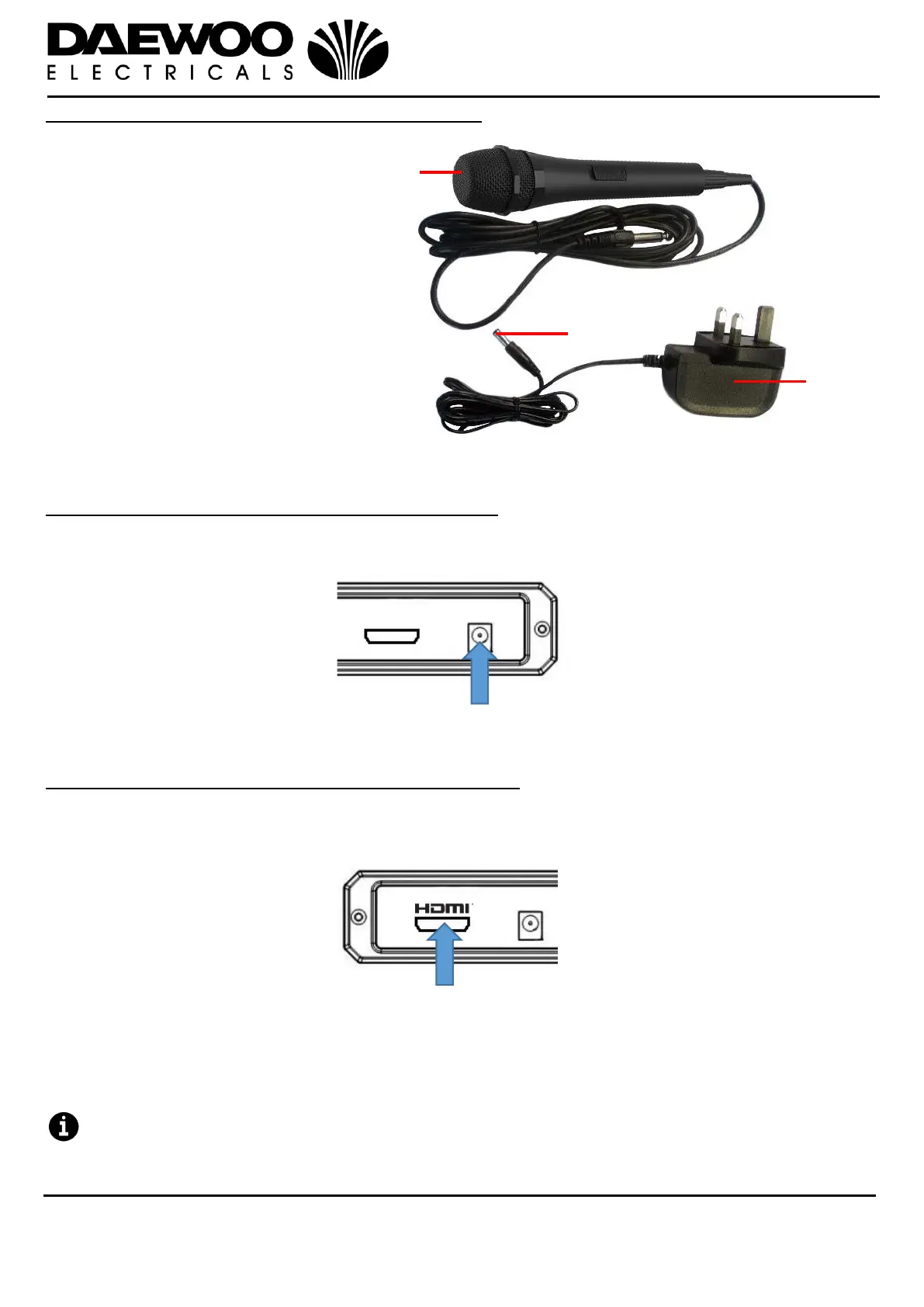
Description of Parts – Accessories Included
Connecting the External Mains Adaptor (36)
1. Insert the Small DC Power Plug (35) of the External Mains Adaptor (36) into the
DC IN Power Jack (32) on the rear of the unit.
2. Insert the Mains Adaptor (37) into the nearest mains socket.
Connecting a Television Using the HDMI Cable
1. Insert one end of the HDMI Cable (33 – not included) into the HDMI Audio &
Video Out Socket (31) on the rear of the unit as below:
2. Connect the other end of the HDMI Cable (33 – not included) to the Televisions
HDMI input socket.
3. Switch on the TV and select the appropriate HDMI input channel that the HDMI
lead is plugged into.
Whilst using a TV with the Karaoke Machine, adjust the audio BALANCE
control (20) on the front of the machine as desired. If the TV is not being used,
ensure the balance control should be central.


 To Next Page