11
1. COTTON IS AUTOMATICALLY SELECTED UPON POWER ON
• Press the Power button to start.
• Press the Start/Pause button.
• Initial condition.
- Program : Cotton
- Wash : main wash
- Rinse : 3 times
- Spin : 800 rpm
- Water temperature : 40˚C
WASHING PROCEDURE AND PROGRAM SELECTION
2. MANUAL SELECTING
• Press the Power button to start.
• Select the conditions which you want to use by turning the program dial and pressing each button.
• Press the Start/Pause button.
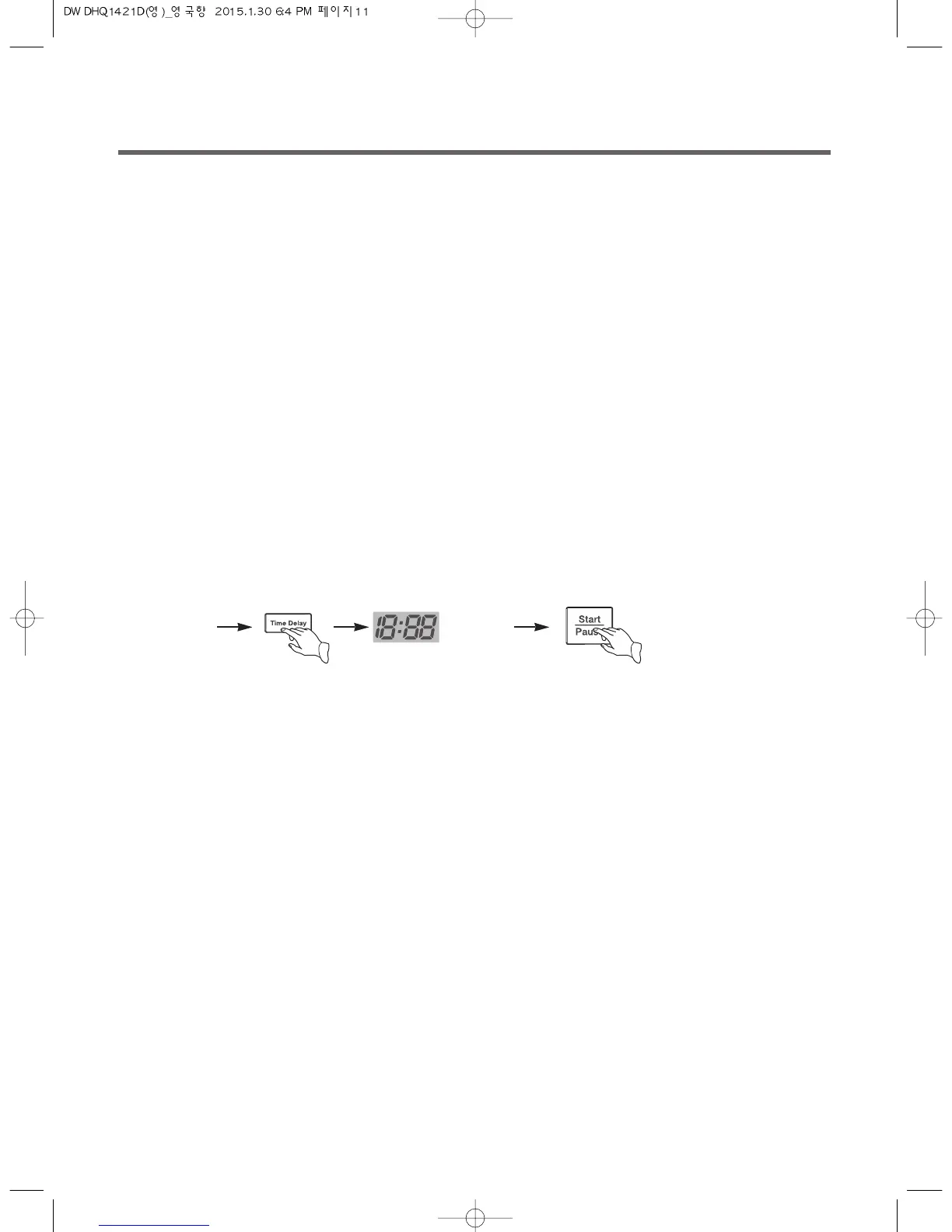
* Each pressing of the button advances time delay by one hour.
• If you want to check the selected program, press the 'Start/Pause' button again.
• To cancel the time delay, press the Power button.
3. TIME DELAY
• Time delay can be set from 1 hour to 12 hours.
eg.) To make reservation to complete washing in 8 hours.
- Procedure to press the button.
select the
program
(as above)
adjust to "8"



 To Next Page