24
Press the Power button.
• The LED shows only '---' and all Program Lights turn on.
Select the ‘Rinse + spin’ program using program selection dial.
• Spin '800' rpm and rinse '1' times are selected automatically.
• If you want to change the spin velocity or options(Rinse+, Water+, Time Delay),
press each button.
Press Start/Pause button.
• The Door is locked. By sensing the weight of laundry and supplying wash water,
the appliance starts rinsing.
* RINSE + SPIN
Note
• You will not be able to select any other programs.
• If you want to change the setting during operation, press the Start/Pause button to hold the operation and
press the button you want..
• 'Rinse+' and 'Water+' and 'Time Delay' options are selectable with Rinse + Spin program.
1
2
3
Press the Power button.
• The LED shows only '---' and all Program Lights turn on.
Press Start/Pause button.
• The door is locked. The appliance starts draining.
* DRAIN
Note
• All programs will not be able to select.
1
2
Put the laundry in the drum.
Then close the door.
Press the Power button.
• The LED shows only '---' and all Program
Lights turn on.
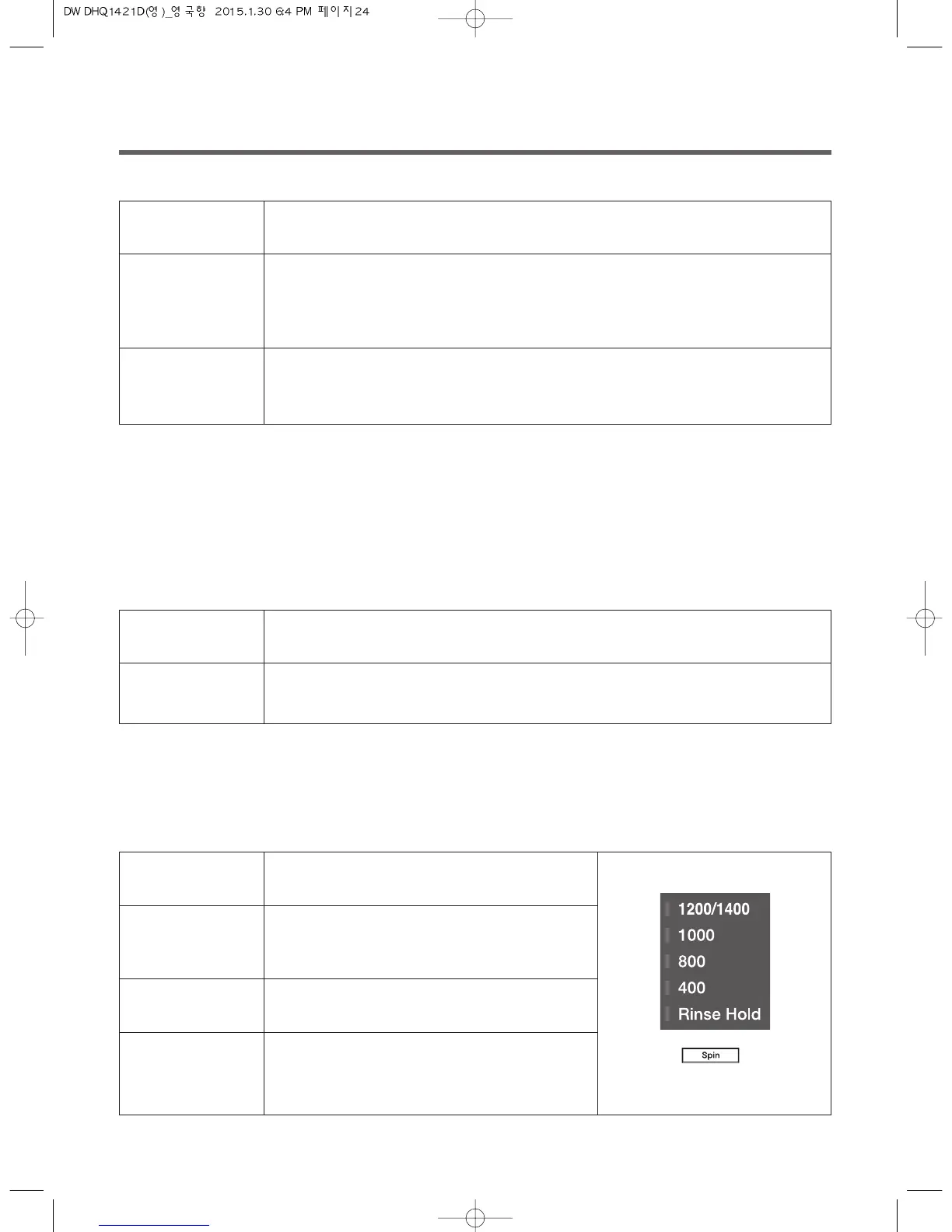
Select the spin speed by pressing Spin button.
Press the Start/Pause button.
• The washing machine will start operating by
locking the door.
* SPIN ONLY
1
2
3
4



 To Next Page