6
Diode Removal/Replacement
1. Remove defective diode by clipping its leads as close as possible to diode body.
2. Bend the two remaining leads perpendicularly to the circuit board.
3. Observing diode polarity, wrap each lead out of the new diode around the corresponding lead on the circuit
board.
4. Securely crimp each connection and solder it.
5. Inspect the solder joints of the two “original” leads on the circuit board copper side. If they are not shiny, reheat
them and apply additional solder if necessary.
TECHNICAL INFORMATION
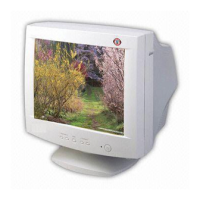
Picture Tube
Type : 19-inch, Flat Square Tube type
(18-inch, viewing area)
Dot Pitch : 0.26mm
Face Treatment : Anti-reflect / Anti-static
Video
Input Signal : R.G.B Analog
Pixel Clock : 203 MHz
Input Sync : TTL, separate negative / positive
H+V Sync. on Green, negative
Composite H+V Sync. negative / positive
Scan Frequency
Horizontal : 30-95 KHz(automatic)
Vertical : 50-160 Hz(automatic)
Max. Resolution
1600 dots X 1200 lines (at 75Hz)
Power Source
Free Voltage (100-240 Vac, 50/60Hz)
Display Area
Standard Display Area : 350mm(H)X262mm(V)
Full Screen Size : 365.8mm(H)X274.3mm(V)
Power Consumption
Max. 130W
Dimension
466(W)X474.5(H)X482(D)mm
(set with stand)
Weight (Net/Gross)
23.5/27.5 kg
Operating Environment
Temperature : 10~40°C/50~104°F
Relative Humidity : 8~80%
Storage Environment
Temperature : -20~45°C/-4~113°F
Relative Humidity : 5~90%
State Recovery Time Power LED
On None Green
Stand-by
3 seconds
Green : 1 second
Suspend Amber : 0.5 second
Off - Amber



 To Next Page