Operating your desk fan
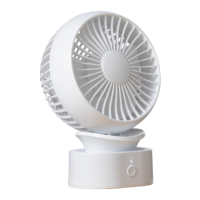
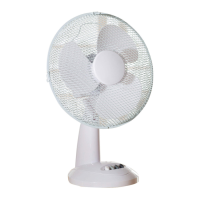
Place the fan in the desired position ensuring that it is stable.
If desired, the fan guard can be tilted up and down to alter the direction
of the airow. NB do not adjust the fan whilst connected to the mains
and/or switched on.
Press the ‘0’ button on the base to ensure the fan is o.
Insert the mains plug into the nearest socket.
Press the 1 button for the low speed.
Press the 2 button for the medium speed Press the 3 button for the high
speed
NB Press the ‘0’ button to switch the fan o.
Making your fan oscillate from side to side
Press the oscillation control (7) down to enable the fan to oscillate from
side to side.
Pull the control up to stop the fan oscillating.
Care and Use of your Fan
• Ensure that the fan is not connected to the mains supply before
cleaning.
• Wipe the fan body clean with a clean, soft damp cloth.
• Do not immerse the fan or its cord in water or any other liquid.
Technical Data
Voltage : 220-240V AC 50Hz
Rated power : 35W
Model Number : COL1063
Protection Class : Class II
Electrical Connections
This appliance is tted with a fused three-pin plug to BS 1363. If the plug
has to be removed, it should be cut o and carefully disposed of immedi-
ately. To avoid a possible shock hazard, do not insert the discarded plug
into a mains socket.


 To Next Page